You can promote an OnlyFans page on Instagram, but only as long as the Instagram account itself stays safe for work. Meta's rules ban sexual solicitation and links to pornographic sites, and they limit who can see content that points to adult subscription platforms. Creators who keep their accounts post SFW content, leave explicit wording out of the profile and DMs, and send followers to an age-gated link-in-bio page rather than a direct adult link.
This article is for adult creators (18+) who want to follow the platform rules, not get around them. Rules change, so check Instagram's Community Guidelines and Meta's Community Standards from time to time. We last checked them in September 2026.
Why Instagram restricts links to adult platforms
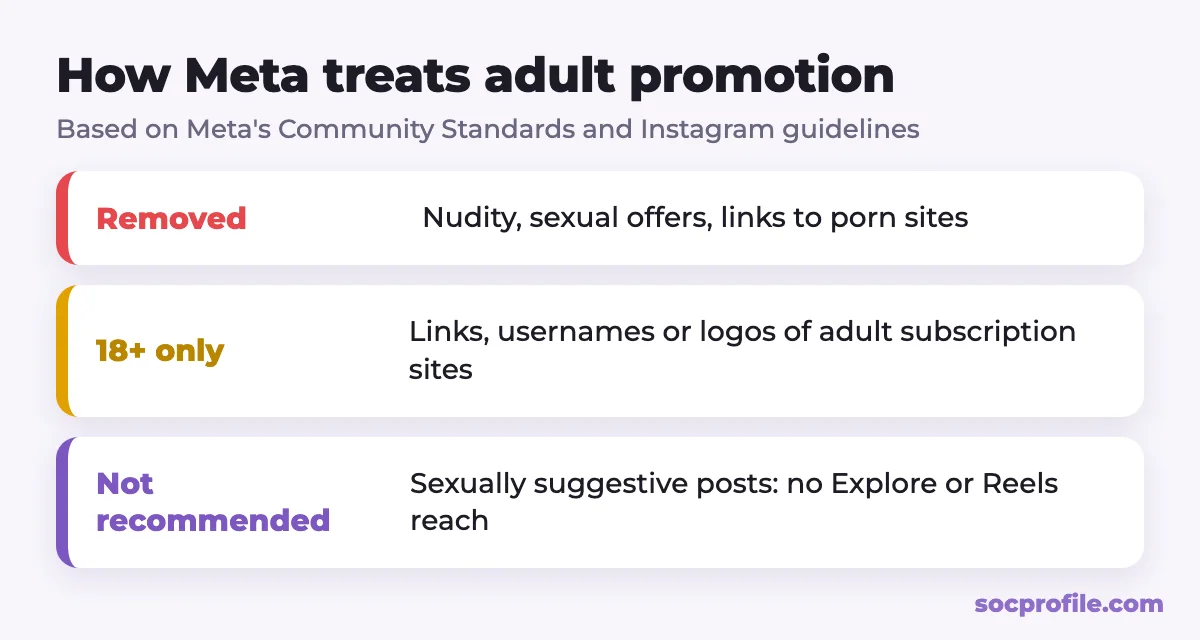
Instagram runs on Meta's Community Standards, and three parts of them matter most for adult creators.
Sexual solicitation
Meta's policy on Adult Sexual Solicitation and Sexually Explicit Language prohibits content that offers or asks for sexual services, sex chats or nude images, as well as content that asks for, offers or provides ways to get pornographic material. Usernames of pornographic websites and links to them are prohibited too. Meta says the aim is to avoid facilitating transactions that may involve trafficking, coercion or non-consensual acts. That's why enforcement is strict even when the creator is completely legitimate.
The 18+ limit for subscription sites
The same policy has a separate, softer rule. Content with usernames, links or logos of adult subscription websites is limited to viewers aged 18 and over. So a mention of a platform like OnlyFans isn't automatically removed, but it can hide your content from part of your audience. And whether something counts as an "adult subscription site" or a "link to pornographic material" is decided by moderators and automated systems, not by you.
Nudity and recommendations
Instagram doesn't allow nudity or sexual activity in posts, apart from narrow exceptions such as breastfeeding or art. On top of that, Instagram's Recommendation Guidelines keep sexually suggestive content (see-through clothing, for example) out of Explore, Reels recommendations and other places where people find accounts they don't follow yet. Those posts aren't necessarily removed. They just won't bring you new followers.
Violations add up over time. According to Instagram's Help Center, accounts that keep posting content that gets removed can lose features and eventually lose access to the account, usually after a warning.
Where creators get into trouble
A ban rarely comes from one post. It comes from a pattern that looks like solicitation or spam. The usual pieces of that pattern:
- explicit or near-nude photos in posts, stories, reels or the profile picture;
- sexual language combined with a price or an offer, like "DM me for content", "spicy pics for $10" or a menu of what you sell;
- a direct adult link in the bio, captions, stories or link stickers;
- dropping your link in other people's comments or sending it to strangers in DMs;
- bots that follow, like, comment or send DMs at scale;
- sexual keywords and emoji combinations in the username, bio and hashtags that automated systems associate with solicitation;
- mass reports, which make a review more likely when content is already borderline.
A profile that doesn't read like an ad
Think of your Instagram as a lifestyle or personal brand account that happens to have an 18+ page somewhere behind it. It shouldn't look like an OnlyFans ad.
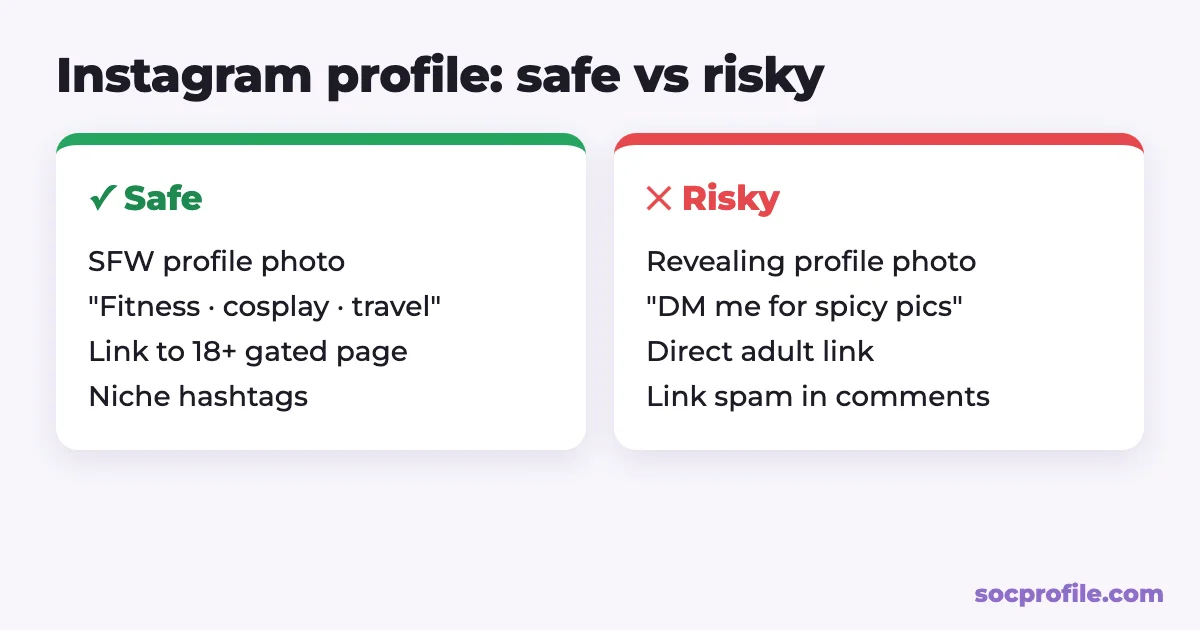
- Profile picture: a clear, SFW photo of your face or a portrait. No lingerie close-ups.
- Username and name: your creator name, with no sexual words.
- Bio: who you are and what you post, whether that's fitness, cosplay, travel or modeling. Leave out explicit terms, prices and "DM for more". A neutral line like "More about me ↓" or "18+ links below" is enough.
- Account type: a creator (professional) account gives you insights, so you can see which posts lead to profile visits and link taps.
- Link: one link to a link-in-bio page rather than straight to OnlyFans. More on that next.
Why the bio link should go to an age-gated page
A link-in-bio page sits between Instagram and your adult platforms. The bio links to a neutral page with a few buttons: other socials, a free Telegram channel, a wishlist, and your subscription page.
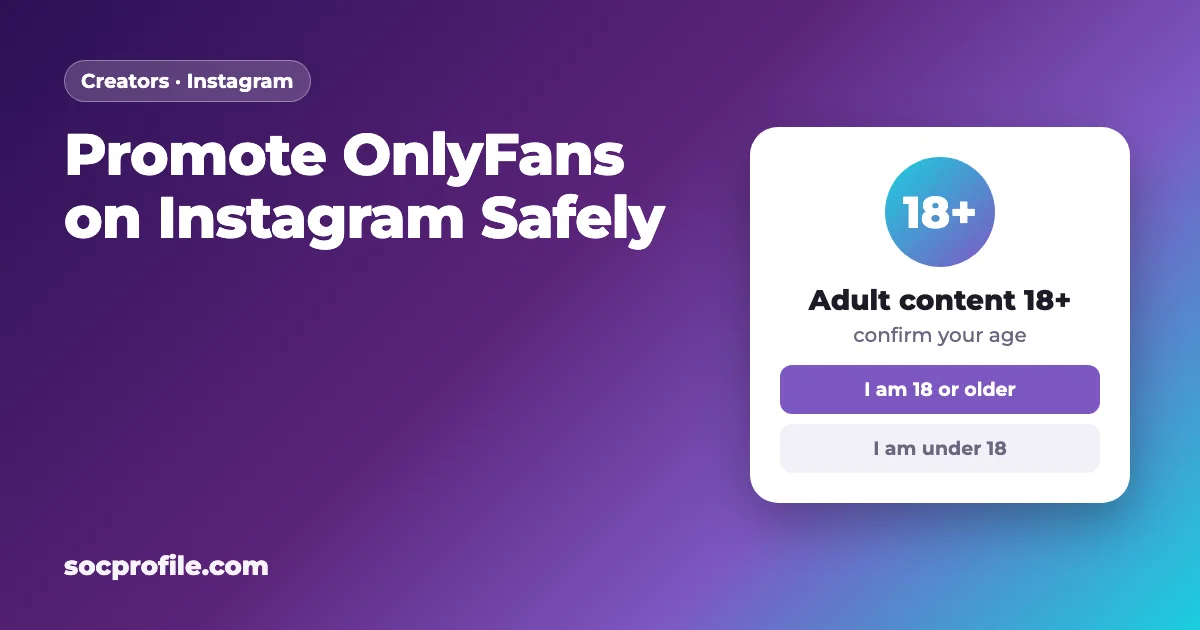
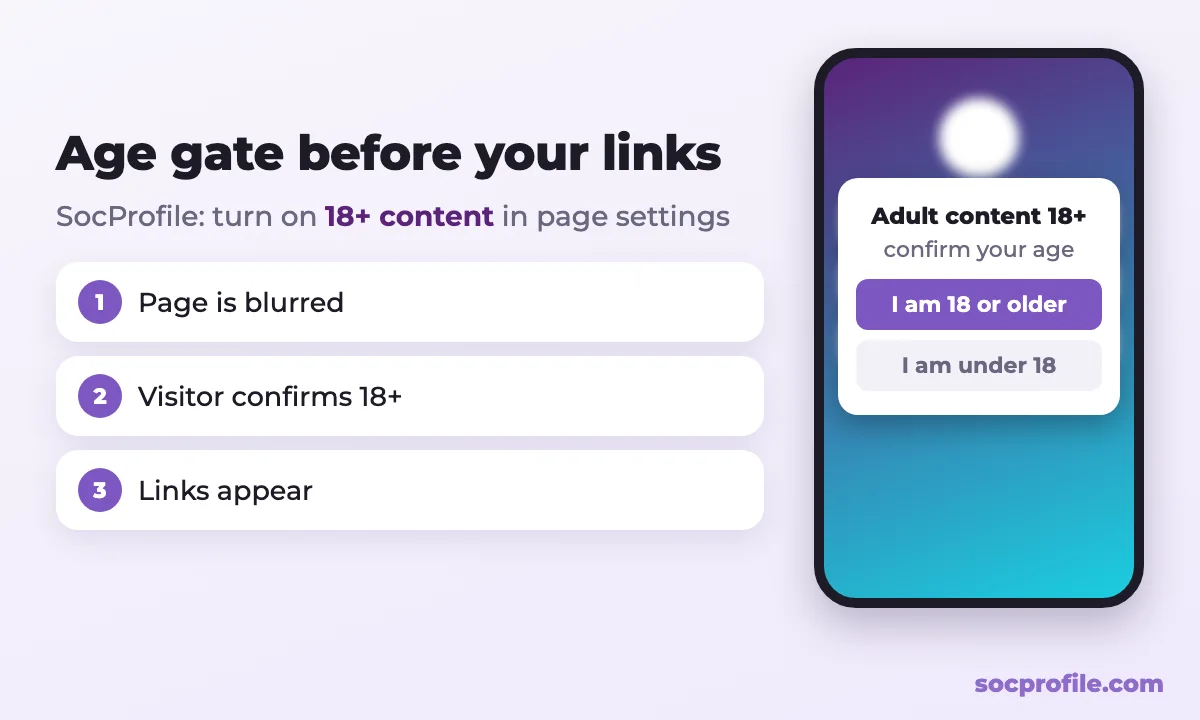
That setup helps in three ways. Your Instagram profile no longer points straight at explicit material, because anyone who taps the bio first lands on an overview of your channels, where the adult link is one clearly labeled option behind an age check. Visitors confirm they're 18+ before they see anything, which is the responsible thing to do in any case. And all your links live in one place, so moving to a new platform or adding one doesn't mean touching the Instagram bio.
On SocProfile, turn on "18+ content" in your page settings. Visitors then see a blurred page with an "Adult content 18+" warning and two buttons, "I am 18 years old or older" and "I am under 18 years old", and your buttons appear only after they confirm. SocProfile Pro adds view and click stats, which show whether Instagram traffic actually reaches your subscription link.
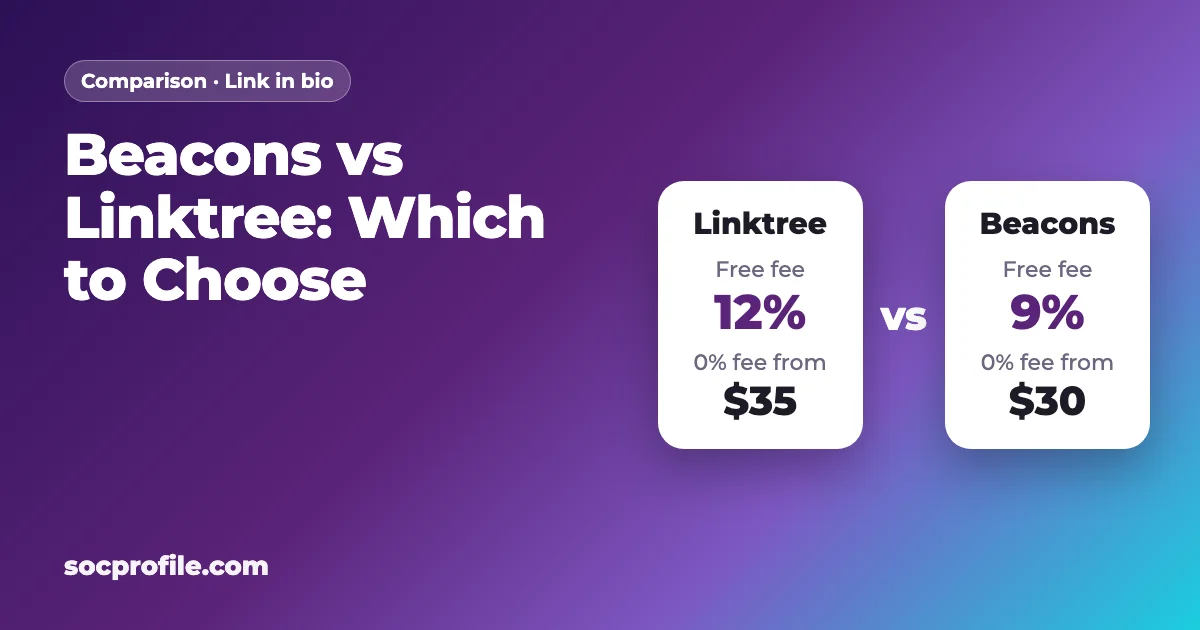
For general advice on bio links, see our guide to link in bio on Instagram. If you're comparing tools, we've also written about whether Linktree is free and Beacons vs Linktree.
Posts Instagram is willing to recommend
Treat Instagram as a discovery channel. Its job is to make people curious about you, and that only works with content Instagram will actually show to new people.
Personality carries most of the weight. Behind-the-scenes clips, daily routines, Q&As, travel, workouts, cosplay builds and photo shoot setups all give people a reason to follow a person, and people subscribe to a person more than to a set of photos. Reels are the main way new viewers find accounts, so post them regularly, fully clothed and non-suggestive, so they stay eligible for recommendations. Stories are for the people who already follow you: polls, question stickers and day-in-the-life clips build that relationship. Collaborations with SFW creators in your niche (fitness, fashion, gaming) bring followers who are interested in you rather than in explicit content.
Story links need extra care. A link sticker can be tapped by anyone who sees the story, and on a public account that can include minors. If you use one, point it at your age-gated page and never directly at adult content. The setup is covered in our guide on how to add a link to an Instagram Story.
Hashtags and captions
Pick niche hashtags that describe the post, like #cosplay, #gymgirl or #travelphotography, and skip sexual ones. The same goes for hashtags and emoji combinations widely used for adult content. A quick test: open the hashtag, and if Instagram hides its recent posts or shows a warning, don't use it. Pasting the same block of 30 hashtags under every post looks automated. Captions should stay free of prices, "link for more" pressure and sexual innuendo.
DMs and comments
Don't send your link to anyone who didn't ask for it. Unsolicited links in DMs are a classic spam signal and lead to reports. The same applies to comments under other accounts' posts, big creators and meme pages included.
When a follower asks where else to find you, point them to your bio. Don't paste an adult link or talk about explicit content in the chat.
And skip bots and mass-DM tools entirely. Instagram's Terms of Use don't allow automated access or inauthentic activity, and accounts that use these tools often get locked.
Other platforms with different rules
Instagram works best as one part of a wider setup. Other platforms have different rules, so creators usually spread their effort across several:
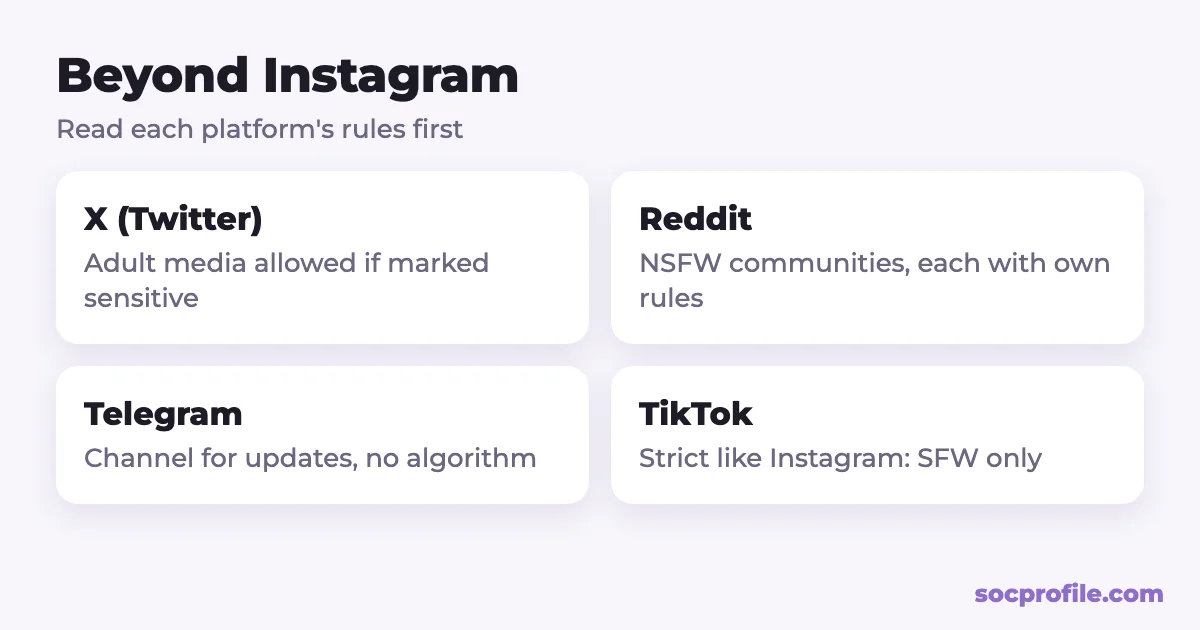
- X (Twitter). X's Adult Content policy allows consensually produced adult content if it's marked as sensitive, but not in highly visible places like the profile photo or header. Set your media settings correctly.
- Reddit. Many communities allow NSFW posts, but each subreddit sets its own rules on self-promotion, verification and posting frequency. Read them, mark NSFW posts, and take part in the community instead of only dropping links.
- Telegram. A channel suits updates and teasers, and followers there don't depend on an algorithm. Follow Telegram's Terms of Service. If channels are new to you, see how to create and promote a Telegram channel.
- TikTok. Its rules on sexual content are strict too, so treat it like Instagram, with SFW content and an age-gated link in the bio. See how to add a link to your TikTok bio.
Put all of these on your link-in-bio page so a follower from any platform can find the rest. Then, if the Instagram account ever gets restricted, you don't lose touch with everyone who followed you there.
If your account gets restricted or disabled
Removed posts or limited features
- Open Settings → Account Status. It lists removed content and the features you can't use right now.
- If you think a decision is wrong, select the item and tap "Request a review".
- While you wait, stop posting borderline content and remove anything similar to what was taken down.
A disabled account
Instagram says that if you believe your account was disabled by mistake, you can log in and follow the on-screen instructions to request a review. Explain calmly that you're an adult creator, that your Instagram content is SFW, and that you don't offer sexual services on the platform. For some content decisions, Instagram's Help Center also describes an appeal to the Oversight Board, which has to be filed within 15 days of the decision.
In your place, we'd keep Instagram boring on purpose: SFW posts and reels, a neutral bio, one link to an age-gated page, and no links in DMs or comments. The growth is slower that way, but an account that stays up does more for a creator than one that grows fast and disappears after a wave of reports.
Frequently asked questions
Can I just put my OnlyFans link in my Instagram bio?
It's risky. Meta limits content with links to adult subscription sites to adult viewers and prohibits links to pornographic material. A neutral, age-gated link-in-bio page that lists your subscription link among other links is the safer option.
Does Instagram ban people for having OnlyFans?
No. Accounts get restricted or disabled for what they post and how they promote: nudity, sexual solicitation, direct adult links, spam and automation.
Am I allowed to mention OnlyFans in a post?
Under Meta's current standards, content with usernames, links or logos of adult subscription websites is shown only to viewers 18 and over. It may stay up, but it reaches fewer people, which is why most creators don't name the platform and simply point to the link in their bio.
What if my account gets banned?
For removed content or limited features, request a review under Settings → Account Status; for a disabled account, log in and follow the on-screen instructions. Don't open a new account to get around the ban.
Which hashtags should I avoid?
Sexual hashtags, emoji combinations associated with adult content, and any tag where Instagram hides recent posts.