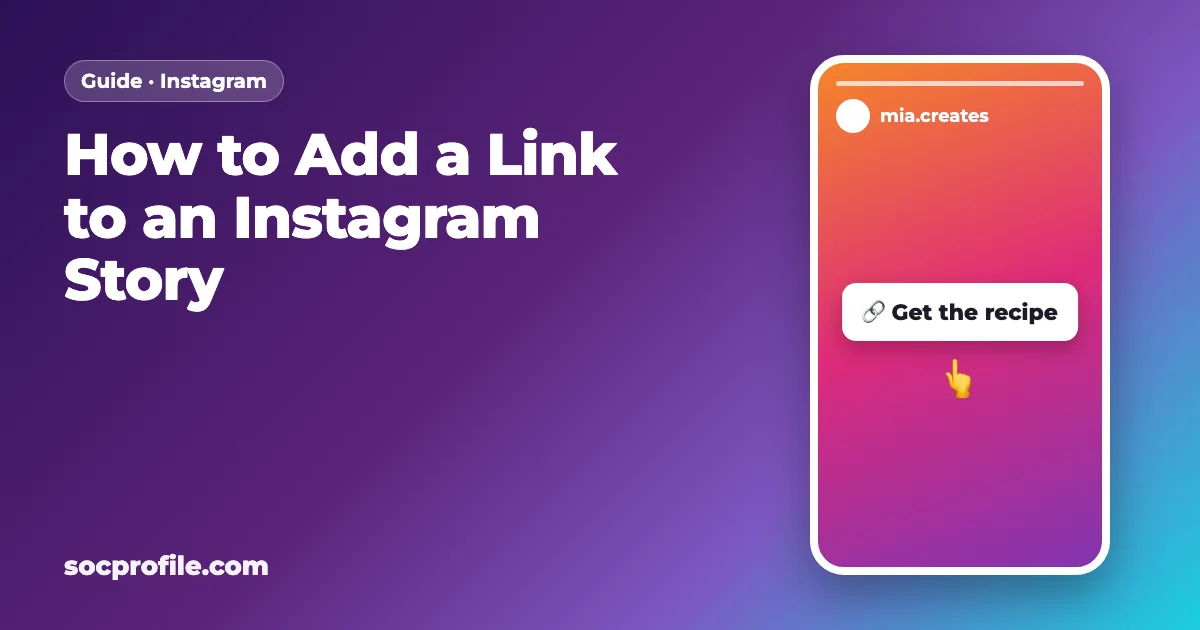
To add a link to an Instagram Story, start a story, tap the Stickers icon at the top, pick Link, paste your URL and place the sticker. Since 2021 the link sticker has been open to all accounts, so you don't need 10,000 followers or a blue check. The rest of this page covers custom text and colors, where to find link taps, and what to try when the sticker is missing.
Who gets the link sticker
The old "swipe up" feature was reserved for verified accounts and accounts above a follower threshold. In October 2021 Instagram replaced it with the link sticker and opened it to all accounts: personal, creator and business, big or small.
There are two exceptions, both from the same announcement. New accounts don't get the sticker, and neither do accounts that repeatedly share content breaking the Community Guidelines (hate speech or misinformation, for example). Instagram's Help Center adds that not every sticker is available to everyone and some may be unavailable in certain regions. If yours is missing, jump to the troubleshooting section.
Adding the link, step by step
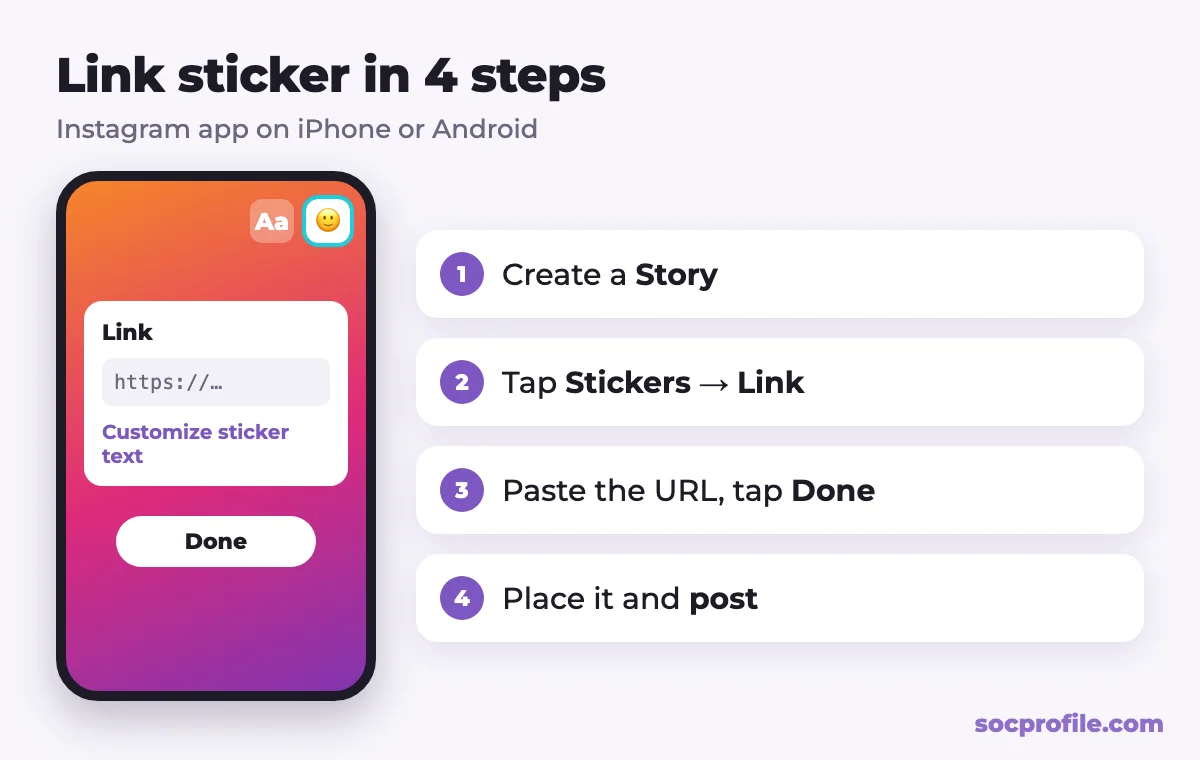
iPhone and Android work the same way:
- Open Instagram and start a new story. Tap + and choose Story, or tap your profile picture with the plus sign on the home screen.
- Take a photo or video, or pick one from your gallery.
- Tap the Stickers icon (the square smiley face) at the top of the screen.
- Tap the Link sticker. If it isn't near the top, type "link" in the sticker search bar.
- Paste your URL. "See preview" shows how the page will look when someone opens it.
- If you want your own label, tap "Customize sticker text" (details below).
- Tap Done, and the sticker appears on your story.
- Drag it into place, pinch to resize, and tap it to switch colors.
- Tap "Your story" or "Close Friends" to publish.
Anyone who can see the story can tap through. On a private account that means approved followers only; in Close Friends, only the people on that list.
https://, and open it once on your own phone after posting. A link sticker can't be edited later, so a typo means deleting the story and posting it again.Making the sticker look like something worth tapping
Text
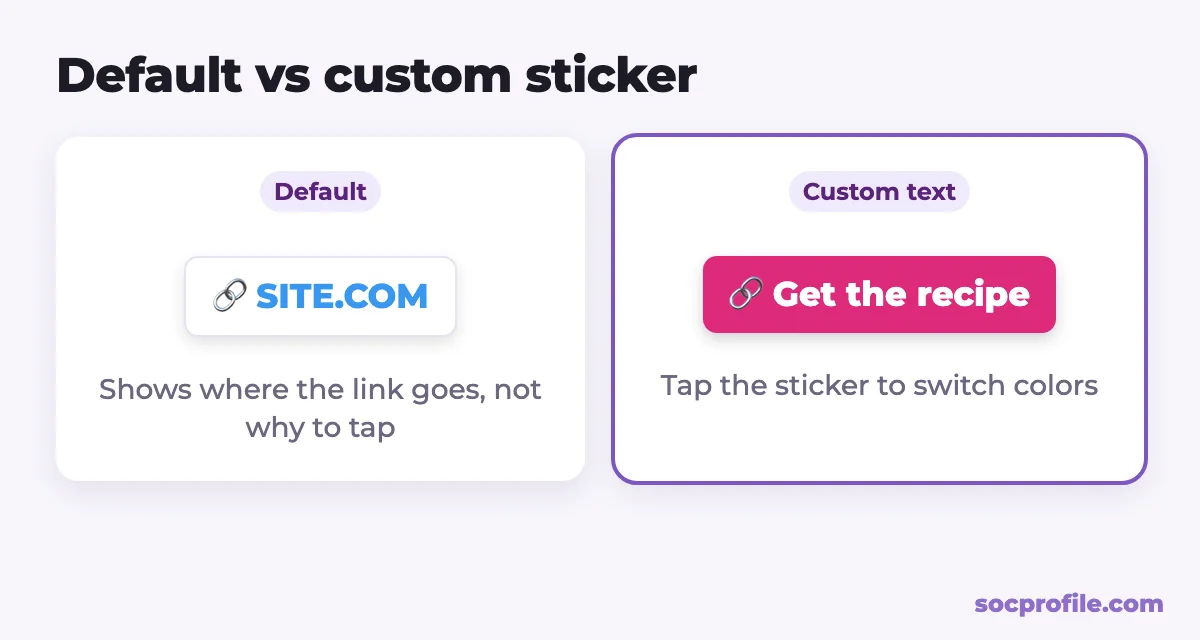
By default the sticker shows the site's domain, like SOCPROFILE.COM. That tells people where they're headed but gives them no reason to go. Before you tap Done, open "Customize sticker text" and write a short call to action instead: "Get the recipe", "Shop this look", "Read the full guide". A few words is plenty. Long labels get cut off or blow the sticker up to an awkward size.
Color
Tap the placed sticker to cycle through its color styles and pick whichever stands out against the background. Light on dark photos, a colored version on busy ones. Some app versions also offer a color picker, handy if you want the sticker in your brand color.
Size and placement
Keep the sticker away from the edges. Your name and the progress bar sit at the top of the screen and the reply field sits at the bottom, so a sticker there gets missed or is hard to hit. It should be big enough to tap with a thumb; if it looks tiny in the preview, pinch it larger. Don't put it over the thing the story is about. If you're showing a product, place the sticker beside it. A small "tap here" with an arrow or a GIF next to the sticker also helps people notice it.
Getting more taps
A link sticker by itself rarely gets many taps. People flick through stories quickly, and the story has to give them a reason to stop.
What tends to help is setting up the link before you show it. Post a frame or two about the thing you're linking to (the product in use, a before and after, a teaser from the article) and put the sticker on the last frame. Tell people what they get after the tap: "Full recipe on my blog" beats a bare link. If you're comfortable on camera, a short video where you point at the sticker and say "the link is right here" is simple and it works.
Two more things matter after posting:
- Save the story to a Highlight. The story itself disappears after 24 hours, but inside a Highlight the link stays tappable for as long as the Highlight exists.
- Check that the destination page works on a phone. If it's slow or hard to read on a small screen, most of those taps are wasted.
Where Instagram shows link taps
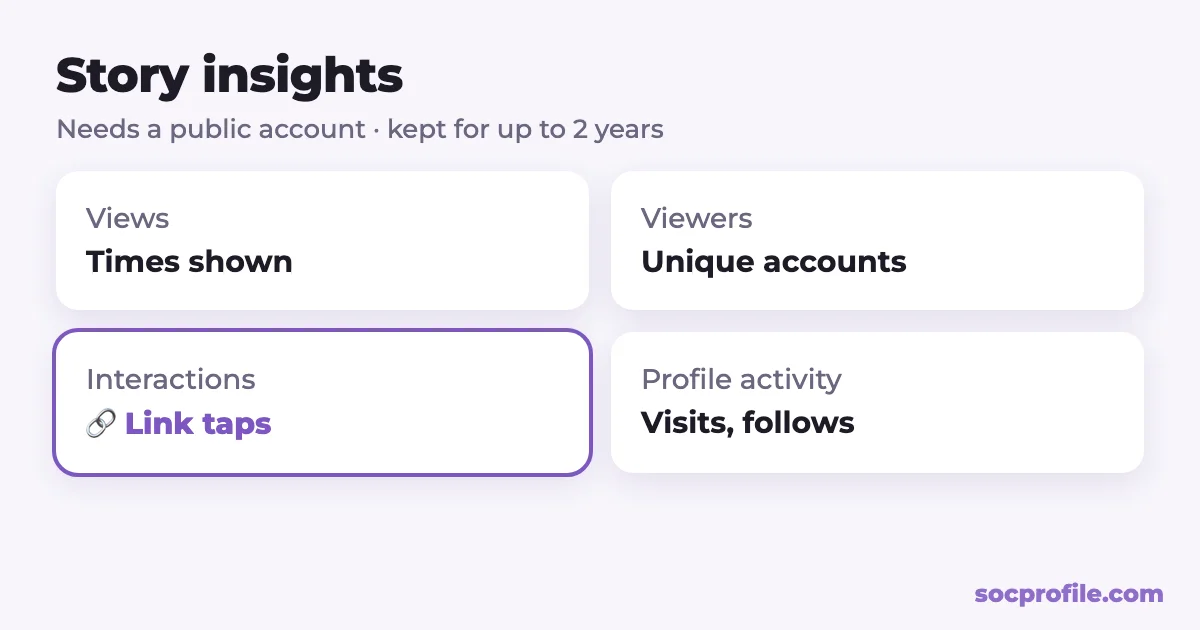
According to Instagram's Help Center, insights are only available on a public account, personal or professional. For each story you get:
| Metric | What it counts |
|---|---|
| Views and Viewers | How many times the story was shown, and how many unique accounts saw it |
| Interactions | Replies, shares, sticker taps and link taps |
| Profile activity | Profile visits, follows and website clicks that came from the story |
For a live story, open it and swipe up (or tap Activity at the bottom), then switch to the insights tab. For an expired one, go to your profile, open Insights or the professional dashboard, and find the story in your content list. Instagram keeps story insights for up to two years, long after the story itself has vanished.
What happens after the tap
Instagram counts taps and stops there. To learn which story actually brought visitors or sales, add UTM tags to the URL (for example ?utm_source=instagram&utm_medium=story) and look them up in your website analytics. If your stories point to a link-in-bio page, SocProfile Pro shows page views and clicks on each button, so you can see where that traffic goes next.
When the link sticker isn't working
No Link option in the sticker menu
Work through these in order:
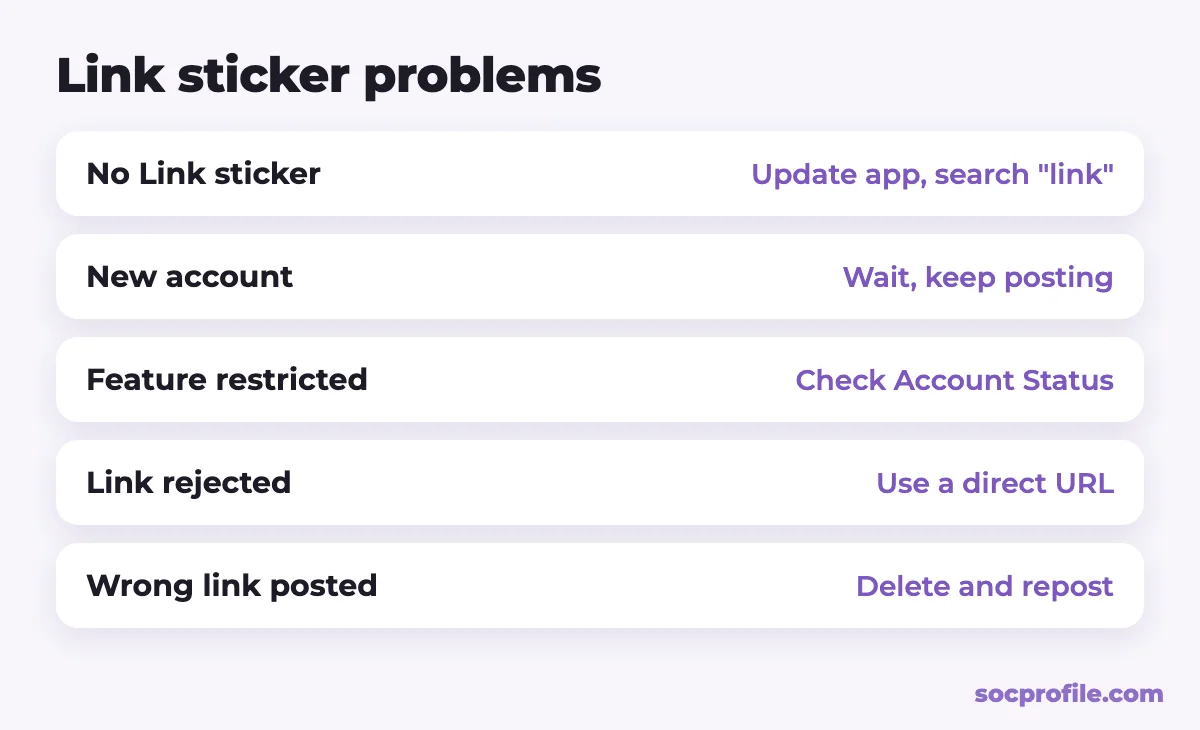
- Update Instagram from the App Store or Google Play and restart the app. That's Instagram's own first suggestion for missing stickers.
- Search for "link" in the sticker tray. The order of stickers changes, so it may simply be further down.
- Make sure you're in a story. Reels have a different set of stickers.
- Open Settings → Account Status. If content was removed for breaking the rules, some features may be switched off. The same screen shows what's restricted, and from there you can request a review if you think it's a mistake.
- If the account is new, there's nothing to fix. Use it normally for a while and check again later.
Instagram rejects the URL
Instagram can block links it considers spammy, unsafe or against its rules. Some URL shorteners and redirect services get flagged because spammers use them too. Try the page's direct address, and make sure the page itself doesn't break Instagram's guidelines.
Followers say the link won't open
Links from stories open in Instagram's in-app browser. Check that the page loads over mobile data, doesn't sit behind a login, and doesn't bounce through several redirects. Pages that ask visitors to reopen them in a regular browser lose some people at that step.
You need to change the link after posting
That isn't possible on a published story. Delete it, fix the URL and post again. This is one of the reasons we suggest pointing stories at a link-in-bio page: you can swap the buttons on the page whenever you like, and nothing needs reposting.
Links that outlast a story
A story link lasts a day, so it pays to pair it with links that stay put. Your profile holds up to 5 websites, according to Instagram's Help Center, under Edit profile → Links → Add external link. Our guide to link in bio on Instagram covers how to use that space well. Highlights with link stickers suit evergreen offers and guides. And links sent in DMs are clickable, which is handy when someone asks "where can I buy this?".
If the same links go out on Instagram, TikTok and Telegram, one page saves a lot of editing. You can make one for free on SocProfile and use socprofile.com/yourname in your bio, in link stickers and everywhere else. For TikTok, see how to add a link to your TikTok bio.
If we were starting from scratch, we'd put one page link in the profile, use story stickers for whatever is new this week, and keep the best of those stories in a Highlight. Then we'd check link taps a day later and rewrite the sticker text for the next story based on what actually got tapped.
Frequently asked questions
Do I need 10,000 followers to put a link in my story?
No. That rule belonged to the old swipe-up feature. Since October 2021 the link sticker has been available to every account except new ones and those that repeatedly break Instagram's Community Guidelines.
Why don't I have the link sticker?
Update the app and search "link" in the sticker tray. If it's still not there, the account may be too new or some features may be limited because of rule violations, which you can check under Settings → Account Status.
Can I change what the sticker says?
Yes. After pasting the URL, tap Customize sticker text and type a short label like "Shop now".
Where do I see how many people tapped the link?
In the story's insights, under Interactions. You need a public account, and the numbers stay available for up to two years.
What if I posted the wrong link?
A published link sticker can't be edited, so delete the story and post a new one. If the story links to your link-in-bio page, you can change the destination on the page without reposting. Saved to a Highlight, the sticker also keeps working after the 24 hours are up.