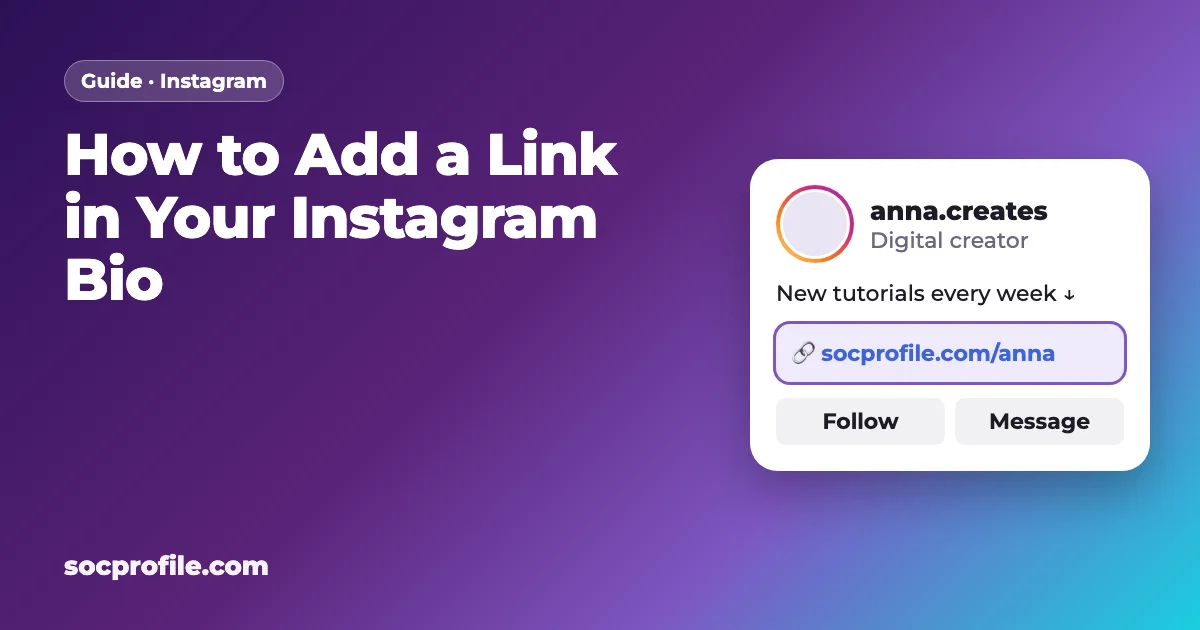
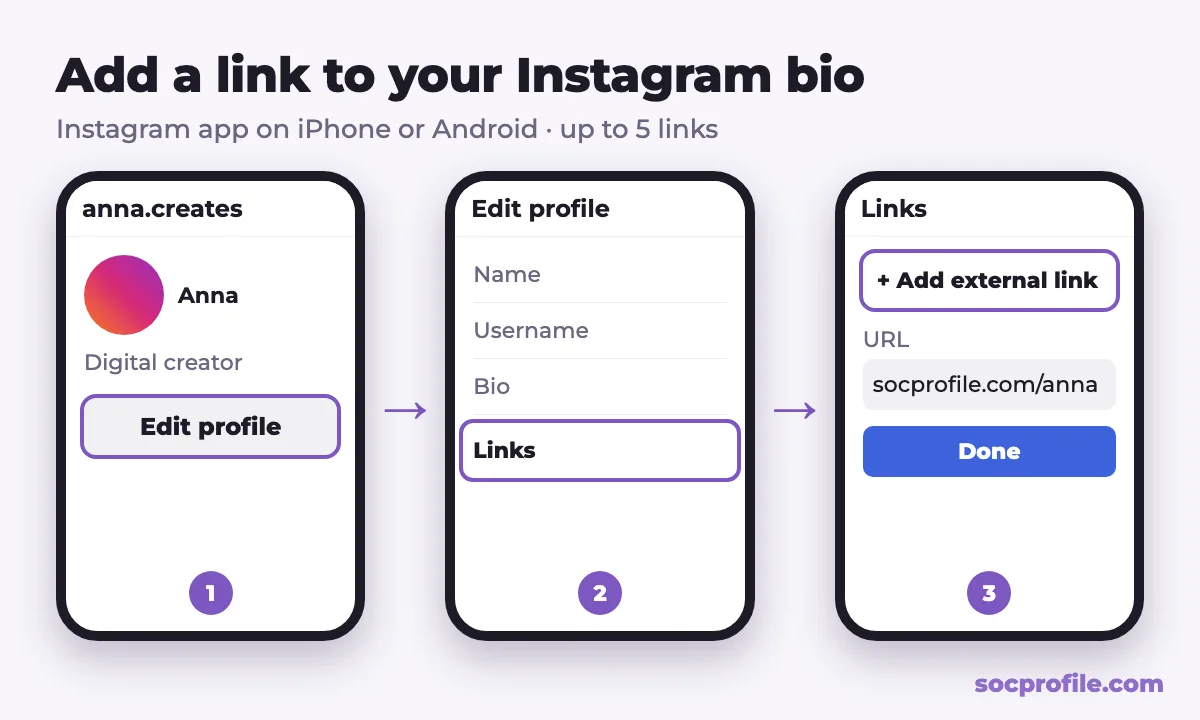
Open your profile, tap Edit profile, then Links, then Add external link. Paste the URL, tap Done, and the link appears under your bio. Instagram allows up to 5 links this way, which is enough for some accounts and not nearly enough for others.
What "link in bio" actually means
Links in regular post captions aren't clickable on Instagram. Type a URL under a photo or Reel and people would have to copy it by hand, which almost nobody does. So creators and brands say "link in bio" instead. The clickable links live in the Links field of your profile, right below the bio text.
You can also get clickable links into Stories (with the link sticker), direct messages and ads. The profile link is different because everyone who opens your account sees it, every time. That makes it the one link worth thinking through.
Adding the link, step by step
You'll need the Instagram app on iPhone or Android. Instagram's Help Center says the Links field can't be edited from a computer.
- Tap your profile picture in the bottom right corner to open your profile.
- Tap "Edit profile".
- Tap "Links", then "Add external link".
- Paste the full URL (for example
https://socprofile.com/yourname). You can add a short title too, like "Shop" or "New video". - Tap "Done" and go back. The link now shows under your bio.
More than one link
To add another link, go through the same steps again. According to Instagram's Help Center, you can add up to 5 websites to your profile. Visitors see the first one, plus a note that there are more, and the full list opens when they tap it.
Reordering or deleting links
To change the order, go to Edit profile → Links, tap the three-dot options menu, choose "Reorder links" and drag them into place. To delete one, open Edit profile → Links, tap the link and choose "Remove link".
Five links sounds like a lot. Why bother with a bio page?
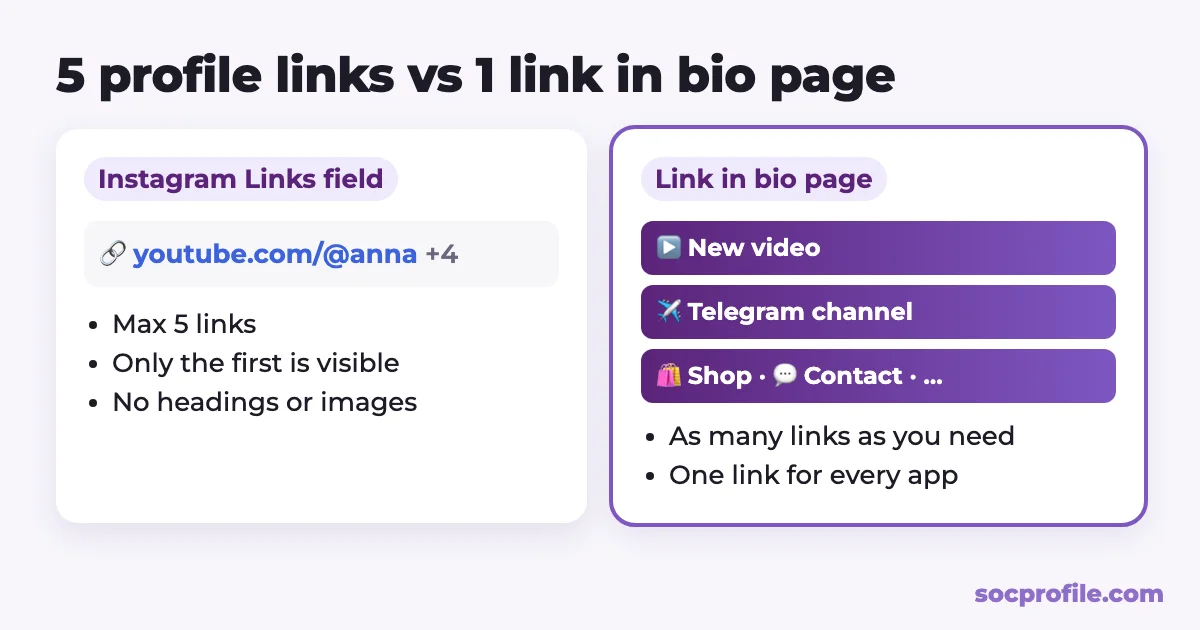
Because the limits show up fast. Only the first link is actually visible on your profile. The other four sit behind an extra tap, and plenty of visitors never make it that far.
Five is also a hard cap. Say you have a Telegram channel, a YouTube channel, TikTok, a shop, a newsletter and a brand collab to promote. That's six, and you're already over. Each profile link gets a short title and nothing else: no description, no image, no heading. You can't group or schedule links, and every change means going back into Edit profile.
Then there are the other apps. TikTok and many others allow just one link, so you end up maintaining a different set of links on every platform.
A link in bio page gets around all of this. You put one link on Instagram, and the page behind it holds as many buttons as you need, with headings, embedded videos and your own design. The same address works in every other bio, so you update things in one place.
We make this kind of page, so this is how we'd set it up. Create a free page on SocProfile, pick a username, add your links and put socprofile.com/yourname in the first Links slot on Instagram. Use the remaining four slots for the destinations that matter most on their own, like your main shop or a booking page. If you're still choosing a tool, we looked at what Linktree costs and what's free there.
What to put on the page
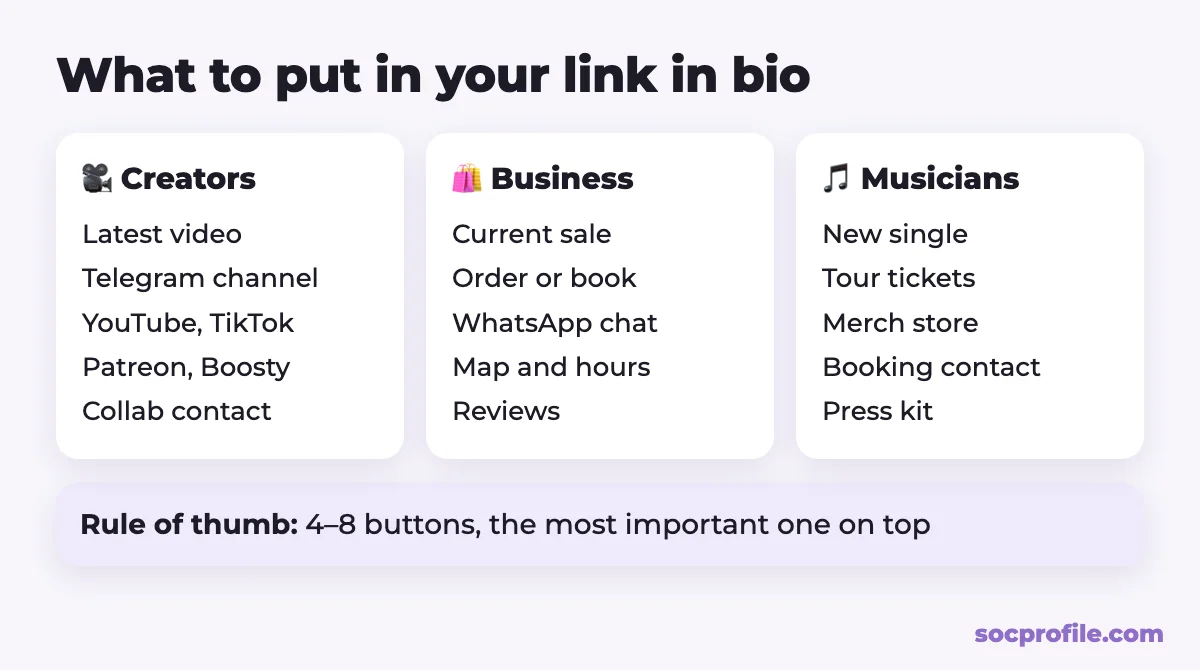
Short and in order of priority works best. Whatever you want people to do right now goes at the top, and roughly 4 to 8 buttons is plenty.
Creators and bloggers
- Your newest video, post or podcast episode
- Your Telegram channel or community chat
- Your other platforms: YouTube, TikTok, Twitch
- Paid content or support: Patreon, Boosty, OnlyFans, a tip jar
- A contact button for collaborations and brand deals
Businesses and online shops
- The product from your latest post, or the current sale
- A booking or ordering page
- WhatsApp or Telegram for quick questions
- Your address on a map and opening hours
- Reviews, delivery terms, a price list
Musicians and artists
- The new single or album on streaming services
- Tour dates and tickets
- A merch store
- A booking contact and press kit
Give people a reason to tap
Nobody goes looking for your link on their own. End your bio text with a short line that points down to it, like "New tutorials every week ↓" or "Shop the drop ↓". And whenever you post something new, say so in the caption or a Story: "full video at the link in my bio."
Is anyone clicking?
Click data tells you which button deserves the top spot and which posts actually send people to your links. There are three ways to get it, and they answer slightly different questions.
Instagram Insights is the built-in option. Professional accounts (Creator or Business) see external link taps in their profile activity. That's a decent overall signal, but it says little about what happened after the tap. If you have a personal account, you can switch to a professional one for free in settings.
A bio page tool shows clicks per button. On our side, Pro adds daily views and clicks for every link over the last 30 days, and it removes ads from your page.
For links to your own website, add UTM parameters such as ?utm_source=instagram&utm_medium=bio. Google Analytics will then show Instagram traffic as its own source. After each post or Story that mentions the link, glance at the numbers. If clicks don't move, change the top button or your call to action first.
Mistakes we see most often
- A dead top link. An expired sale or a deleted video under your first button wastes every visit. Look over the page at least once a month.
- Too many buttons. Fifteen links in no particular order make people leave. Group them under headings, or cut whatever nobody clicks.
- Never opening it on a phone. Almost everyone taps bio links on mobile, so check your page on your own phone before you share it.
- Changing your username. If your page address includes your username, a new one breaks the old links in posts, QR codes and business cards.
If you run a Telegram channel, add your page to our catalog of creators and channels too, so people browsing it can find you.
If we were setting up an Instagram profile today, we'd use the first slot for a link in bio page, keep one or two direct links for the things that make money, and write a bio line that tells people why to tap. Then we'd check the clicks for a couple of weeks before changing anything.
Frequently asked questions
How many links can I put in my Instagram bio?
Up to 5, according to Instagram's Help Center. You add them under Edit profile → Links → Add external link, and if you need more, use one slot for a link in bio page.
Why won't Instagram let me add a link?
First, make sure you're in the mobile app, because the Links field isn't available on a computer. If the link still won't save, Instagram may consider the site spammy or unsafe. Try the full URL without a shortener.
Do I need a business account for a link in bio?
No. Personal, creator and business accounts can all add links. A professional account just adds Insights, including external link taps.
Can I make links in captions clickable?
For most accounts, no. Meta is testing clickable caption links for some Meta Verified subscribers, but everyone else should point people to the bio link or use the link sticker in Stories.
Can I see who clicked my bio link?
No. Instagram only shows how many external link taps you got. A link in bio page with analytics shows clicks per button, but never personal data about the people who tapped.