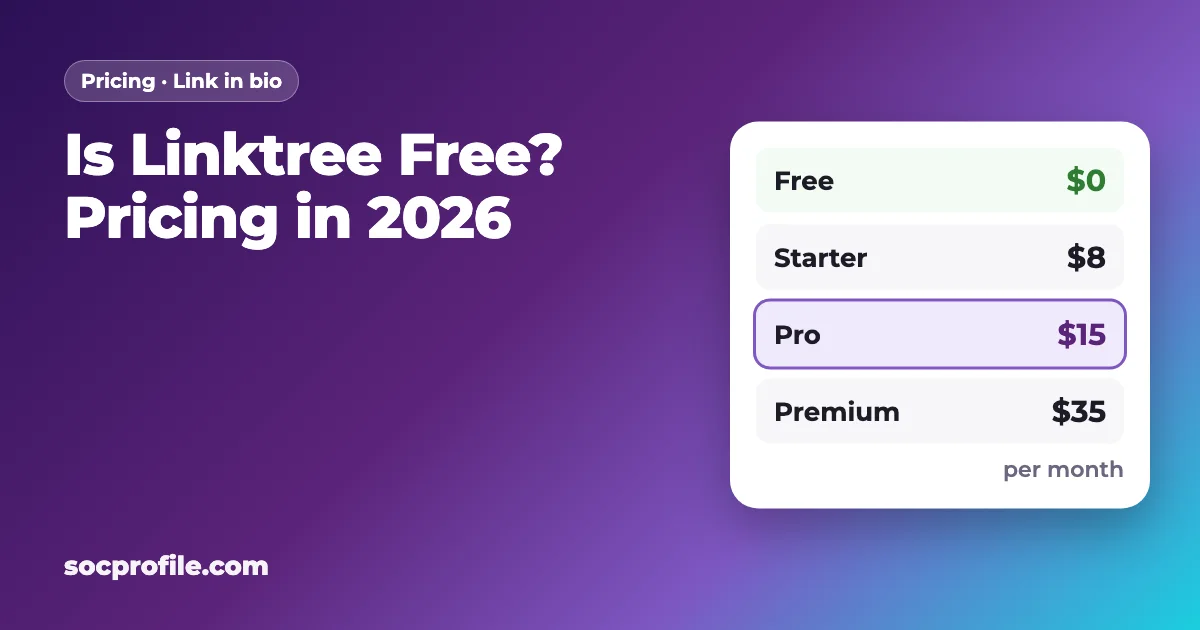
Yes. Linktree's Free plan costs $0, never expires and puts no cap on the number of links. The limits show up elsewhere: branding you can't remove, a short analytics window and a 12% cut when you sell something. On top of Free sit three paid plans, Starter, Pro and Premium, priced from $8 to $35 a month.
What Linktree costs in 2026
Linktree sells four plans to individuals, plus an Agency / Enterprise option for teams with custom pricing. The prices below are in US dollars and come from the official linktr.ee/s/pricing page as of September 2026. If you pay for a year up front, you save roughly 14–25% compared with monthly billing.
| Plan | Billed monthly | Billed annually | Seller fee on digital products and courses |
|---|---|---|---|
| Free | $0 | $0 | 12% |
| Starter | $8/mo | $6/mo ($72/yr) | 9% |
| Pro | $15/mo | $12/mo ($144/yr) | 9% |
| Premium | $35/mo | $30/mo ($360/yr) | 0% |
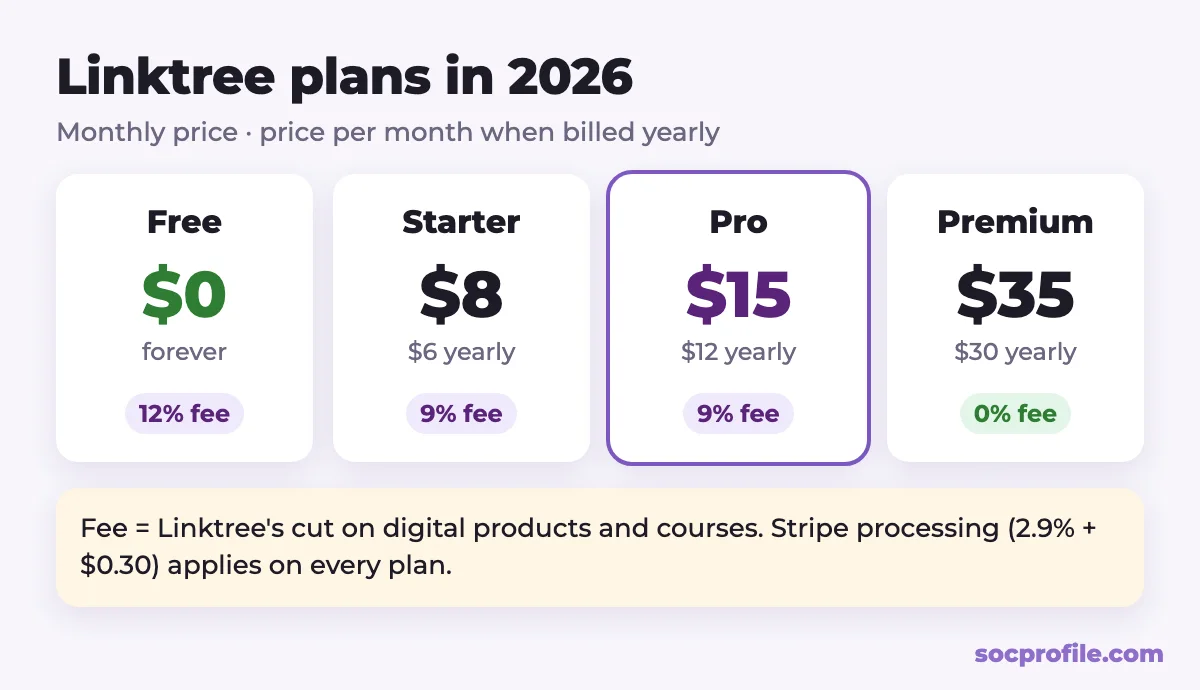
Pro and Premium both come with a 7-day free trial. Depending on your country, tax may be added at checkout. Linktree itself says on the pricing page that tiers and features change often, so look at that page again right before you pay.
What you get for $0
For plenty of people, Free is enough. Going by Linktree's pricing page and help center, a free account includes:
- one page at
linktr.ee/yournamewith unlimited links; - a profile photo, title, bio, free themes and social icons;
- insights for the last 28 days (views, clicks and click rate), with lifetime totals shown but no older date ranges;
- one featured link, the bigger highlighted button (paid plans get as many as they want);
- selling digital products and courses, with a 12% Linktree fee on each sale;
- Instagram auto-replies for up to 1,000 DMs a month;
- a QR code for your page and the Linktree mobile app.
Where the free plan falls short
Linktree describes Free as "free with restrictions." In practice, those restrictions come down to four things.
The Linktree footer stays
You can't remove the Linktree footer from your page, or the Linktree logo from your QR code, unless you're on Pro or Premium.
Only 28 days of stats
Free keeps 28 days of data. Starter stretches that to 90 days and Pro to 365. Only Premium shows the whole life of your page. The help center also marks filters, the "Most clicked" list, visitor locations, devices and traffic sources as Pro and Premium features.
Linktree takes a share when you sell
Sell an ebook, a preset pack or a course through Linktree and the platform keeps a percentage of each sale. Stripe's processing fee (2.9% + $0.30 per purchase) is charged on top of that on every plan, including Premium.
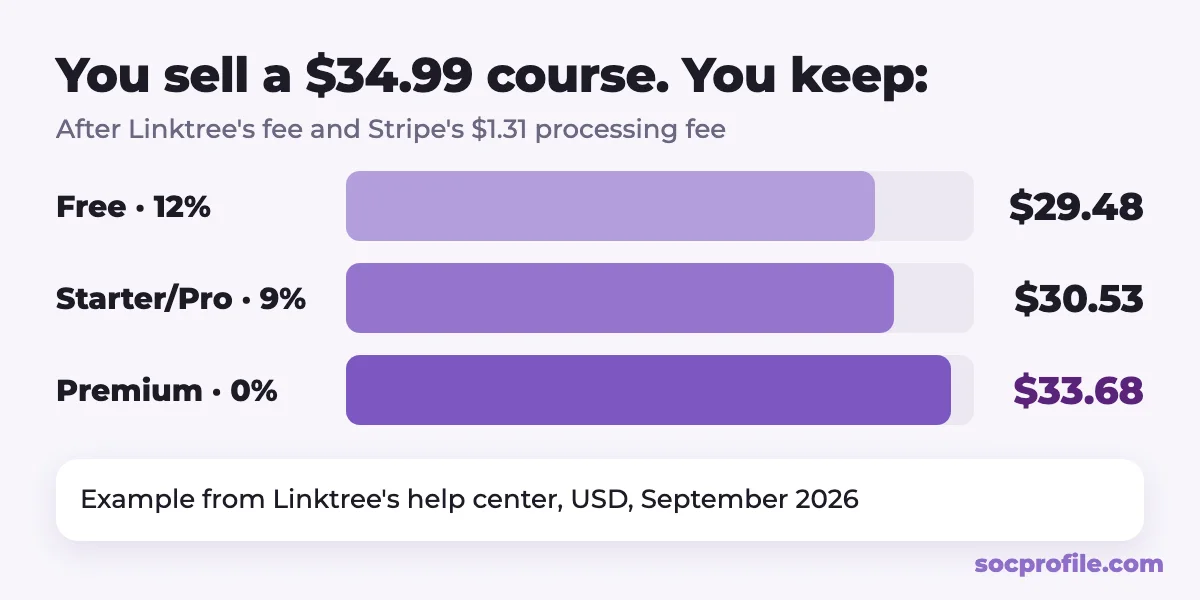
The numbers in the image come straight from Linktree's help article. On a $34.99 course you keep $29.48 on Free, $30.53 on Starter or Pro, and $33.68 on Premium. Commissions work the same way. With Linktree Shops and sponsored links (US only), Free, Starter and Pro users hand Linktree a share of the commission, and Premium users keep all of it.
Some free pages now show ads
Linktree is running a limited test of ads on some Free pages in eligible countries. A visitor taps a link, sees a short ad that's clearly labeled, and then lands where they were going. Paid plans never show ads, so upgrading to any of them ends the test for your page.
What the paid plans add
Starter ($8/mo, or $6/mo yearly)
This is the cheapest way to get rid of ads. Starter gives you 90 days of analytics, unlimited featured links and more design options, and it drops the seller fee from 12% to 9%. The Linktree footer is still there.
Linktree Pro ($15/mo, or $12/mo yearly)
Pro is the plan Linktree recommends, and it's usually what people mean when they talk about paying for Linktree. Beyond Starter, you get custom themes, fonts and layouts and can hide the Linktree logo. Analytics go back 365 days and include visitor locations, devices and sources. Pro also connects to mailing list tools (Mailchimp, Klaviyo, Kit, Google Sheets) and supports the Meta Pixel, Google Analytics and UTM parameters. The seller fee stays at 9%.
Premium ($35/mo, or $30/mo yearly)
Premium is built for people who sell. The fee on digital products and courses goes to 0%, and you keep 100% of affiliate shop commissions. You also get lifetime analytics with CSV export, social media scheduling, unlimited Instagram auto-replies and the fastest support.
Is Linktree Pro worth it?
That depends on what the page is for. Here is how we would decide:
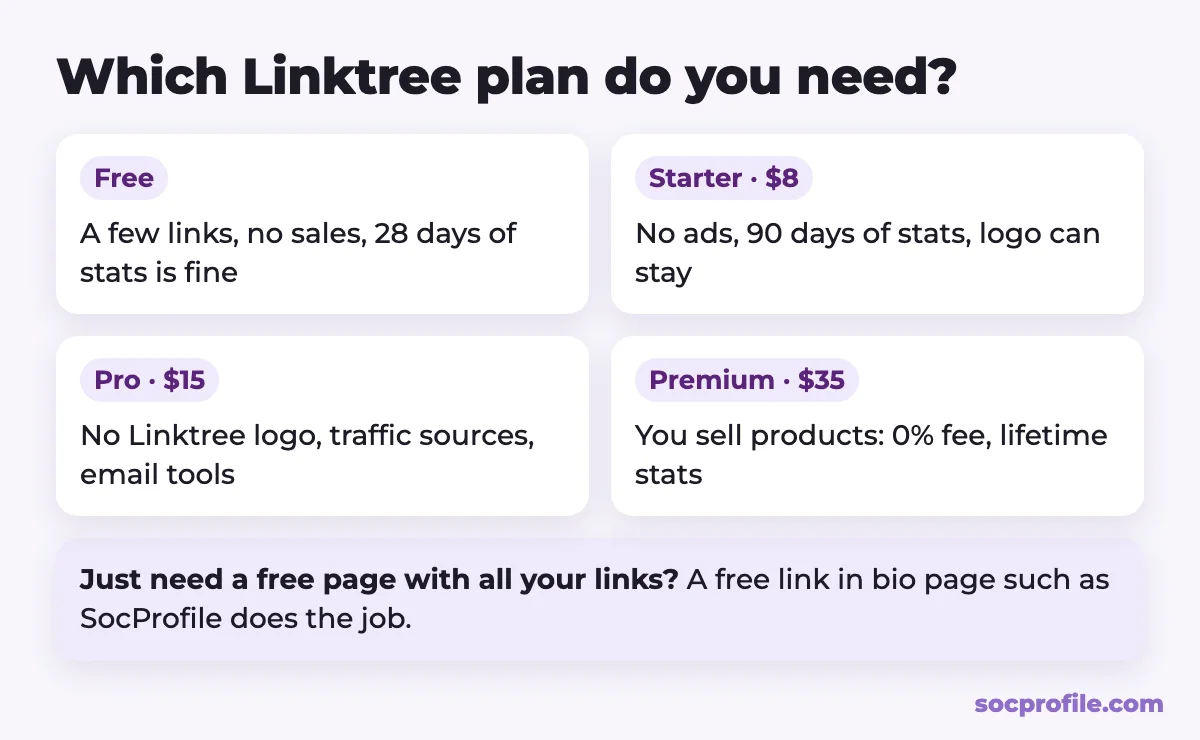
- Stay on Free if you only need a few links to your channels, website or shop, and the footer and short stats don't bother you.
- Pick Starter if you don't want ads on your page or you'd like longer stats, and Linktree branding is fine with you.
- Pick Pro if you run campaigns and need to know where clicks come from, want your own look without the logo, or collect emails for a newsletter.
- Pick Premium if you sell digital products through Linktree. The gap between a 12% and a 0% fee is $35 on every $292 of sales, so once you sell more than about $300 a month through Linktree, Premium tends to pay for itself.
If you don't sell anything and analytics are only nice to have, $144 a year for Pro is hard to justify. That's when a free alternative makes sense.
If you'd rather not pay for Pro
We should be upfront here: SocProfile is our own service. It's a link in bio page that is free to create and free to keep. You get a page at socprofile.com/yourname, where you can add links, embed videos, split things up with headings and choose a background. We built it with creators in mind who promote Telegram channels, Instagram, TikTok and subscription platforms. Here is how the free and paid parts compare with Linktree, trade-offs included.
| Linktree | SocProfile | |
|---|---|---|
| Link page with unlimited links | Free | Free |
| Ads on the free page | Test on some free pages | Yes, removed with Pro |
| Premium themes | Pro, $15/mo | 8 themes + 12 backgrounds for a one-time $5, or included in Pro |
| Click and view stats | Free: 28 days | Pro: daily views and clicks per link, last 30 days |
| Payment | Card, monthly or yearly subscription | Telegram Stars or crypto, no auto-renewal |
| Selling digital products | Built in, 0–12% fee | Not built in; link to your own store |
| Discovery | No catalog | Public catalog of creators and Telegram channels |
On our Pro plan, your page has no ads and no sign-up menu for visitors. The premium themes are included, and you see daily views and clicks for every link. We don't auto-renew Pro. Whatever you pay for is added to your current term, and there is a lifetime option too ($79 at the time of writing). Themes, a verified badge and short 3–4 character usernames are one-time purchases in the shop. You can also add your page to our catalog of creators and channels so new people can find you.
Switching without losing clicks
- Create a free page and add the same links in the same order.
- Choose a username close to your Linktree one so returning visitors recognize it.
- Swap the link in your Instagram, TikTok, YouTube and other bios for the new page.
- Leave your Linktree up for a few weeks with a single link to the new page. Old posts, QR codes and business cards may still send people there.
- If you've printed QR codes, make a new one for the new address.
Our advice: start on a free plan and see whether its limits actually get in your way. If you sell digital products, do the fee math before anything else, because that's the one case where Premium clearly earns its price. If all you need is links and a bit of data, paying $144 a year for it is a lot.
Frequently asked questions
Is Linktree free forever, or is it a trial?
The Free plan has no time limit and no cap on links. Trials only apply to Pro and Premium, which, like Starter, are paid: $8, $15 and $35 a month, or $6, $12 and $30 a month billed annually.
How much is Linktree Pro?
$15 a month, or $12 a month if you pay annually ($144 a year). There's a 7-day free trial.
Does Linktree take a cut if I sell something?
Yes, on digital products and courses. The fee is 12% on Free, 9% on Starter and Pro, and 0% on Premium, and Stripe's processing fee applies on every plan.
Can I remove the Linktree logo without paying?
No. Hiding the footer and the logo on your QR code requires Pro or Premium.
Will my free Linktree page show ads?
It might. Linktree is testing short ads on some free pages in eligible countries, shown after a visitor taps a link. Paid plans never get them, so even Starter removes ads from your page.