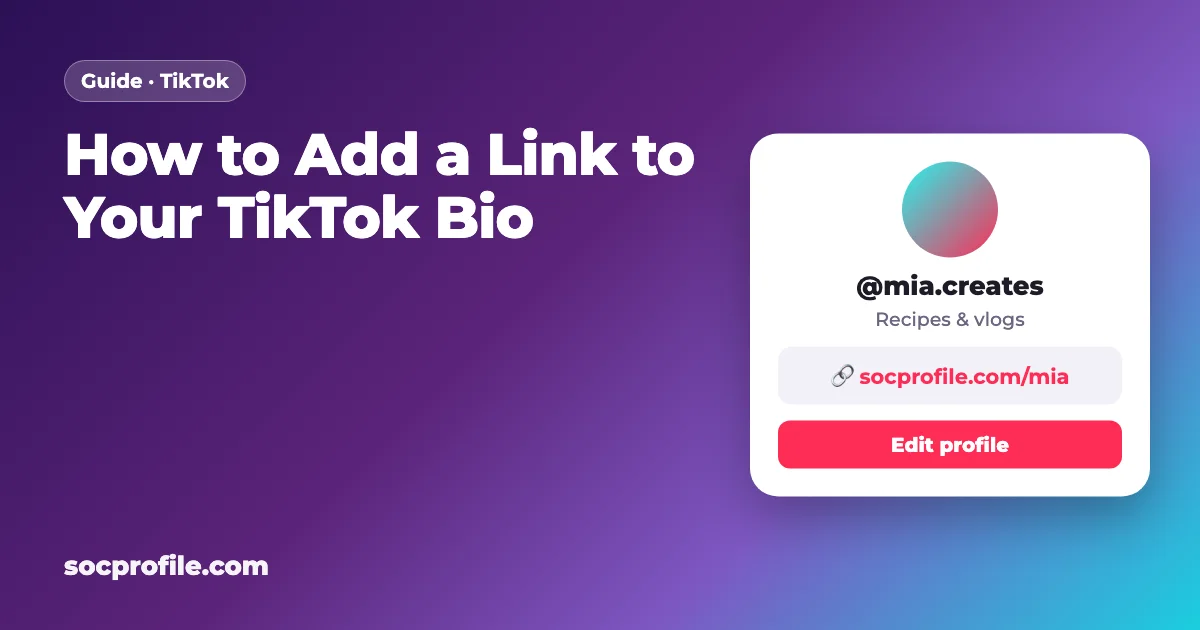
Open your profile, tap Edit profile and paste your URL into the Links field. That's the whole process, as long as TikTok actually shows you the field. It only appears for personal accounts with at least 1,000 followers and for verified business accounts, which is why so many people go looking for it and find nothing.
Who gets a link in their TikTok bio
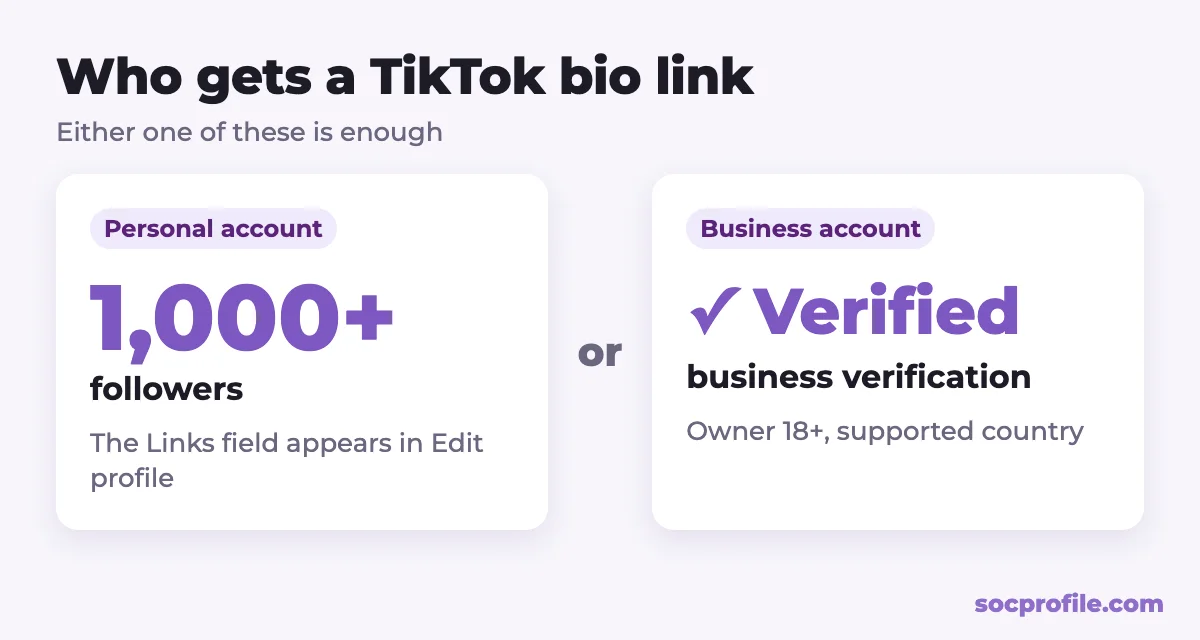
TikTok's Help Center (we checked it in September 2026) says a clickable website link in your profile is available if you have at least 1,000 followers or a verified business account. You'll find older guides claiming that any business account gets a link right away, or that TikTok dropped the follower minimum altogether. Neither lines up with TikTok's current documentation, so don't be surprised when those tricks fail.
Personal accounts and the 1,000-follower rule
On a regular personal or creator account, the link field shows up once you pass 1,000 followers. It isn't always instant. If you just crossed the line, update the app and look again in a day or two.
Business accounts need verification
TikTok now has three levels of business account. There's a general account, an account with "Advanced Access" (linked to TikTok for Business), and a Verified Business Account. According to TikTok's Business Help Center, only the verified level can show business info and the bio link publicly. With Advanced Access you can fill in the details, but visitors won't see them.
To get verified, you submit your business details for review. Verification is only offered in certain countries; the US, UK, Canada, Australia and most of Europe are on the list.
What about age?
In most countries you have to be at least 13 to use TikTok, and many features are limited for teens. Business tools have a stricter rule. TikTok says only accounts whose owner is over 18 can link to TikTok for Business, and that's the route to a verified business account. So if you're under 18, the realistic way to get a bio link is to grow a personal account past 1,000 followers.
Adding the link in the app
This only works in the TikTok mobile app, and the steps are the same on iPhone and Android.
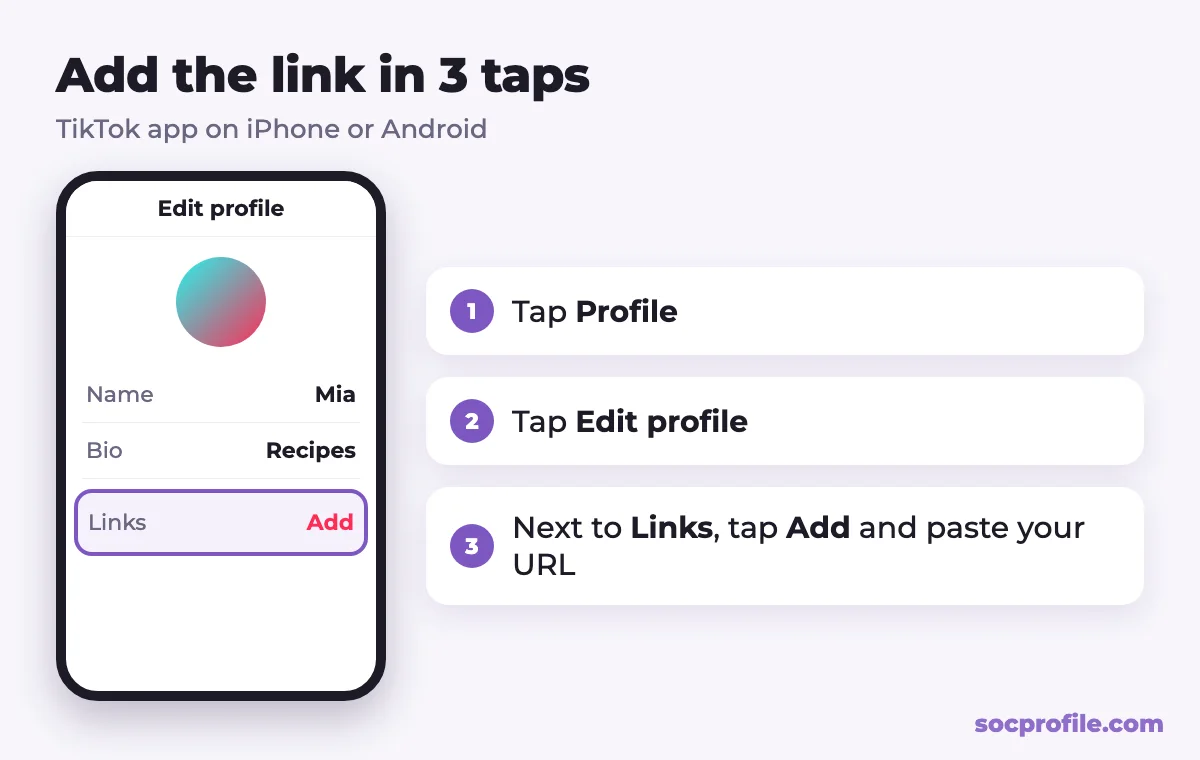
- Open TikTok and tap "Profile" in the bottom-right corner.
- Tap "Edit profile".
- Find the "Links" field (some app versions call it "Website") and tap "Add".
- Paste your full URL, including
https://, and follow the prompts to save it. - Go back to your profile and tap the link to check that it opens the right page.
Links in your bio open in TikTok's in-app browser. TikTok also says it may limit chains of redirects for safety reasons, so visitors sometimes get a prompt to open the page in their phone's regular browser. That's another reason to use a clean, direct link rather than a stack of redirects or shorteners.
Which links TikTok allows
Your website, online store, portfolio, newsletter and link in bio page are all fine. There are three limits you should know about.
First, TikTok says it no longer supports links that open or log in to other social media apps. You can still point to the web version of those platforms, such as your YouTube channel page.
Second, the Community Guidelines cover links as well. Anyone can report a suspicious link on your profile. Links to scams, phishing or content that breaks the rules can be removed, and the account can face other penalties on top of that.
Third, you get one website link. If you have a shop, a YouTube channel and a Telegram channel, you either pick one or use a link in bio page, which we'll come back to below.
Links in videos and comments
For the most part, they don't work. A URL typed into a caption or a comment shows up as plain text that nobody can tap, and very few viewers will copy it by hand. That's the whole reason "link in bio" became a catchphrase.
There are exceptions, though none of them give everyone a clickable link. Verified business accounts can add destination links or app download links to videos and to the profile through Business Suite. TikTok Shop sellers and affiliates can tag products in videos and LIVE streams, which takes viewers to a product page inside TikTok. Paid ads can carry a call-to-action button with any approved destination URL.
For most creators, the bio is still the only place where a tap takes people off TikTok.
The Links field is missing. Now what?
If Edit profile doesn't show a Links field, go through these checks in order.
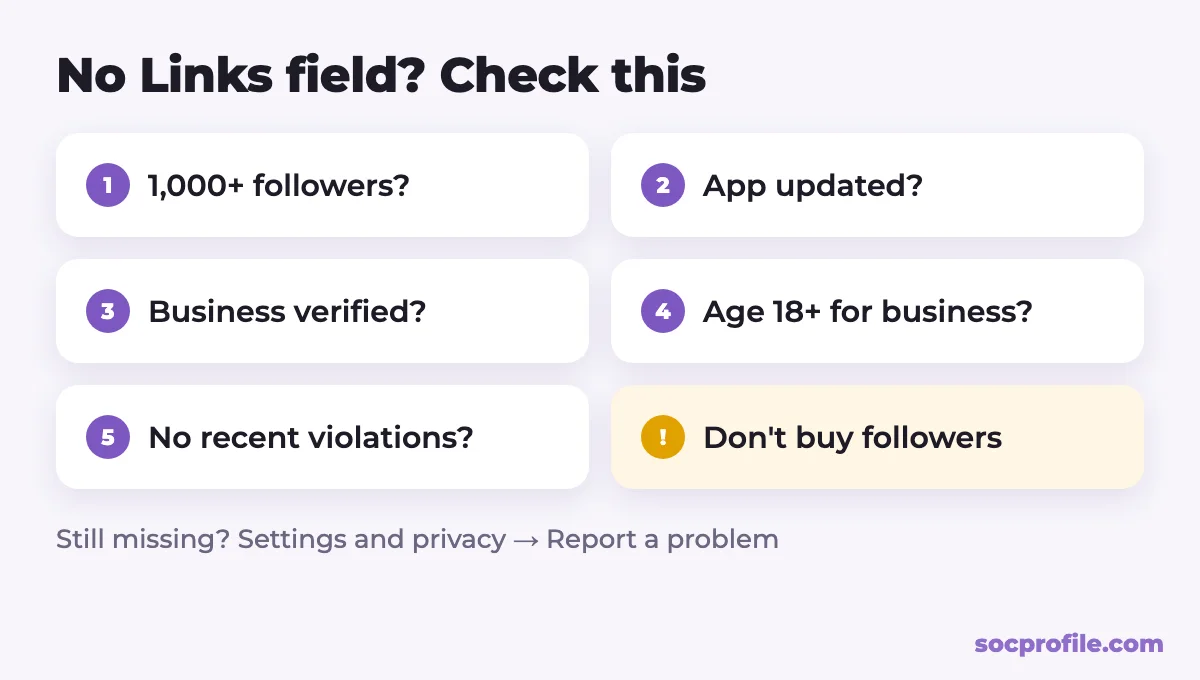
- Count your followers. A personal account under 1,000 doesn't get the field yet, and no hidden setting changes that.
- Update the app. Older versions can be missing the field. Update TikTok from the App Store or Google Play and restart it.
- Check your account type. Switching to a business account isn't enough by itself. If you run a real business and your country supports it, look for business verification in Business Suite.
- Check your age. Accounts registered with a birth date under 18 have restricted access to business tools.
- Look for violations. Recent Community Guidelines violations can cost an account some features. On a verified business account, they can trigger a re-verification period, and the exclusive tools are switched off until it ends.
- Wait a bit. Some features roll out gradually by country and account. If you meet the requirements and the field still isn't there, report it in the app under Settings and privacy → Report a problem.
Before you reach 1,000 followers
You can still send people places. Write your handle or address in the bio as plain text, like "YouTube: @yourname" or "Shop: yourname.com". Nobody can tap it, but people can search for it, and a short, memorable address beats a long URL every time.
It also helps to use the same handle everywhere. When your TikTok, Instagram and YouTube names match, viewers find you without any link. You can pin a video that explains where else to find you and mention it in your bio. And say the address in the video itself, out loud or as on-screen text, rather than burying it in the caption.
One page instead of one URL
Once the link field shows up, you get exactly one link. Most creators have several places to send people: a store, YouTube, Instagram, a Telegram channel, a booking page. Swapping the bio link with every new video gets old fast, and your older videos that say "link in bio" end up pointing somewhere else.
A link in bio page fixes that. One short address goes in your TikTok bio, and the page behind it lists all your links as buttons. You change the buttons whenever you like, without touching TikTok.
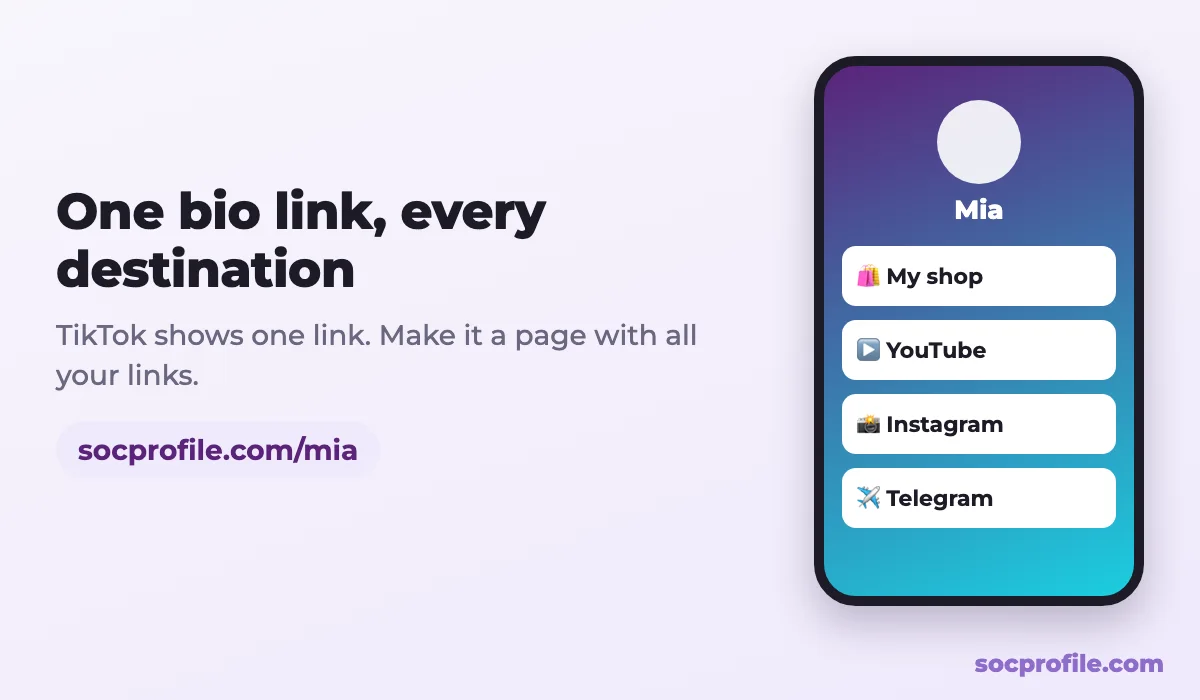
This is what we make. You can set up a free page on SocProfile in a couple of minutes: add your links, choose a design, and paste socprofile.com/yourname into TikTok's Links field. If you'd like to know how many people open the page and which buttons they tap, our Pro plan adds view and click stats and removes ads. Comparing tools? We've written about whether Linktree is free, and if you're using the same page on Instagram, see our guide to link in bio for Instagram.
Getting people to tap
- Put the most important link first. Most visitors tap the top button or nothing at all.
- Stick to a handful of buttons with clear labels, like "Shop my merch" instead of "Link 3".
- Make sure the page loads quickly on mobile data, since nearly all TikTok traffic comes from phones.
- Tell viewers what's waiting for them. "All my links are in my bio" works better when the bio says what those links are.
If we were starting a TikTok account from zero, we wouldn't spend energy hunting for workarounds before 1,000 followers. We'd keep a readable handle in the bio, get to the threshold honestly, and on the day the field appears, put a single page there instead of whichever link feels most urgent that week.
Frequently asked questions
How many followers do I need for a TikTok bio link?
At least 1,000 on a personal account, according to TikTok's Help Center. A verified business account gets the link regardless of follower count.
I have a business account. Why can't I add a link?
TikTok's current business documentation says the bio link is shown publicly only on Verified Business Accounts. Without verification, you'll need to pass it or reach 1,000 followers.
Can I add the link from my computer?
No, the Links field is edited in the mobile app. Open TikTok on your phone, go to Profile, tap Edit profile and add it there.
Is there a way to have more than one link?
TikTok shows one clickable website link. To send people to several places, put a link in bio page in that field and list everything there.
My bio link doesn't open properly. What's wrong?
Make sure the URL starts with https:// and loads in a phone browser. TikTok opens links in its own browser and may limit redirect chains, so a direct link without shorteners is the most reliable option.