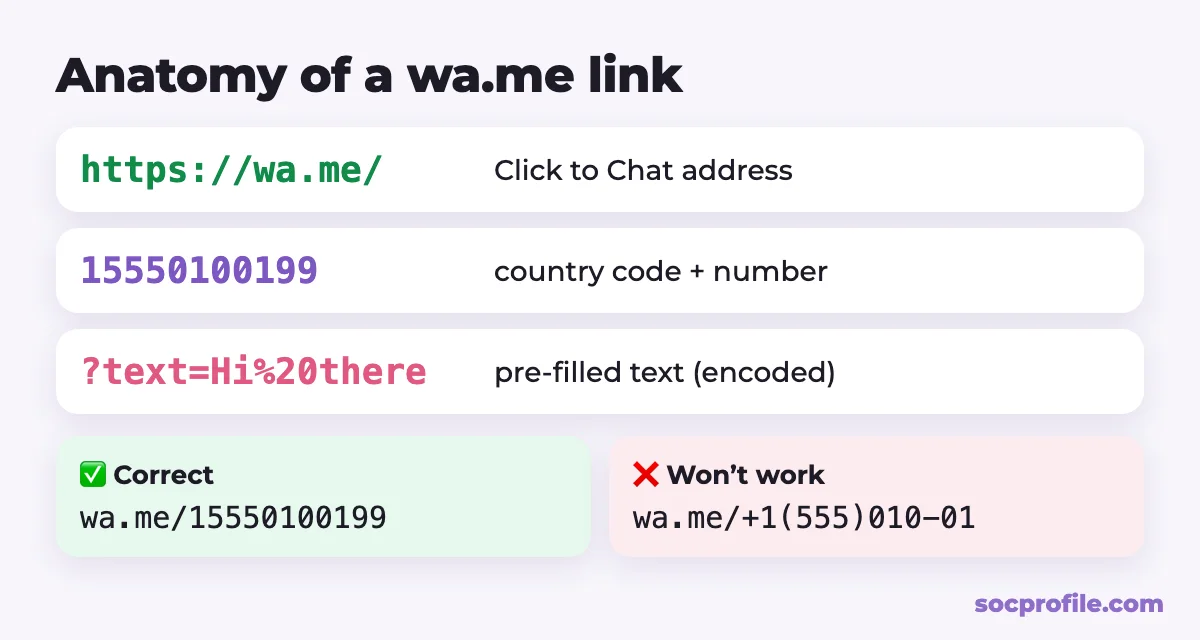
A WhatsApp link looks like https://wa.me/15550100199. The part after the slash is your full phone number in international format, with no plus sign, spaces, brackets or dashes. Anyone who taps it goes straight to a chat with you, and they don't have to save your number first. The free generator below builds the link in a few seconds. After that we cover pre-filled messages, WhatsApp Business short links, group invites and QR codes.
Free WhatsApp link generator
Enter your number with the country code and, if you want, a message that will already be typed in the chat box. The generator strips out everything except the digits and URL-encodes your message the way WhatsApp expects.
Tap "Open chat" to test it. On a phone, WhatsApp should open. On a computer, you'll get a page that hands off to the app or to WhatsApp Web.
How a wa.me link works
WhatsApp calls this feature Click to Chat. According to the WhatsApp Help Center, the format is https://wa.me/<number>, where the number is a full phone number in international format. It's free, you don't sign up for anything, and you can type the link by hand.
Getting the number right
Always include the country code: 1 for the US and Canada, 44 for the UK, 61 for Australia, 91 for India, 49 for Germany. Leave off the +, the 00 international prefix and the 0 that many countries put in front of local numbers. Spaces, brackets and dashes go too. The link should contain digits only.
| How the number is written | Correct link |
|---|---|
| +1 (555) 010-0199 | wa.me/15550100199 |
| UK: 07700 900123 | wa.me/447700900123 |
| India: +91 98765 43210 | wa.me/919876543210 |
| Australia: 0412 345 678 | wa.me/61412345678 |
One more requirement: the number needs an active WhatsApp account. If it doesn't have one, the visitor sees an error saying the number isn't on WhatsApp, and no chat opens.
Add a pre-filled message
To have a message already typed when the chat opens, add ?text= followed by your text, and make sure the text is URL-encoded. Spaces become %20 and commas become %2C. Characters like &, ? and # have to be encoded as well, or the message gets cut off right there.
WhatsApp's own example is https://wa.me/1XXXXXXXXXX?text=I'm%20interested%20in%20your%20car%20for%20sale. The generator above uses JavaScript's standard encodeURIComponent, so emoji, line breaks and non-English letters come through intact.
Nothing gets sent automatically. The visitor sees the text in the input field and can edit it before tapping send. A few templates that work well:
- "Hi! I'd like to book an appointment" for salons, tutors and coaches;
- "Is this item still available?" for marketplace listings;
- "Hi, I found you on Instagram" so you know which channel brought in the lead.
You can also leave the number out entirely (https://wa.me/?text=...). WhatsApp then shows the contact list, and the visitor picks who gets the message. That's how "Share on WhatsApp" buttons are built.
Short links in WhatsApp Business
If you use the WhatsApp Business app, you already have a short link, because it's created automatically when you set up the account. Go to Tools → Short link to copy or share it, and to turn on a default message that customers can edit before sending.
On a phone with WhatsApp installed, the short link opens a chat right away. In a desktop browser, customers see a page with your business info and a "Continue to chat" button. The short link keeps your phone number out of the URL, which also looks tidier on flyers and packaging. A regular wa.me/number link works for business accounts too.
The same Tools section has your business QR code. WhatsApp says it won't expire unless you reset it or delete the business account, so you can safely print it on business cards, storefront signs and table tents.
Invite links for groups
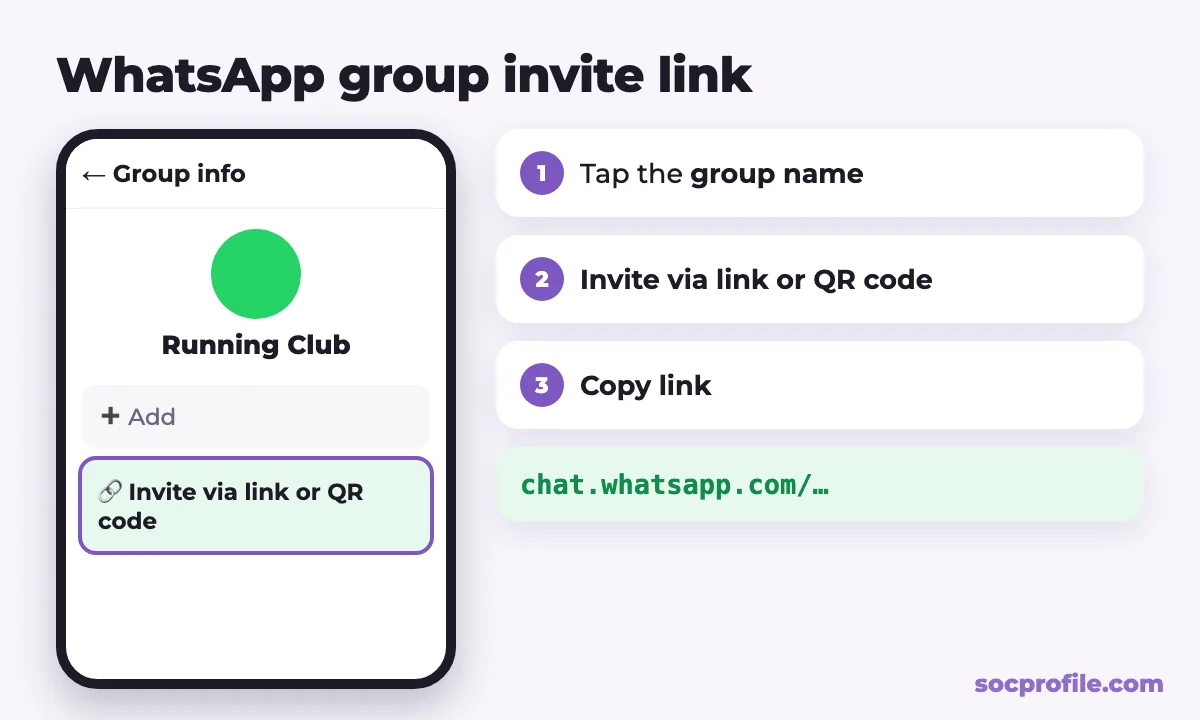
Groups don't use wa.me. They have invite links that look like chat.whatsapp.com/… instead. Admins can create them, and in smaller groups members can too if the group permissions allow it.
- Open the group chat and tap the group name.
- Tap "Invite via link or QR code".
- Tap "Copy link", then send it via WhatsApp, share it to your status or show the QR code.
Your WhatsApp QR code
Personal accounts have a QR code as well. Open Settings (on Android, it's under the three-dot menu) and tap the QR code icon next to your name. You can show it to someone or share it as an image, and when they scan it, they can add you as a contact. Be a little careful where you share it, though. The code can be forwarded, and whoever gets it will be able to message you. You can reset it on the same settings screen.
Want a QR code that opens a chat with a ready-made message? Create the link in the generator above and turn it into a QR code with any QR code generator. It's handy for "Message us on WhatsApp" signs at a checkout counter or reception desk.
Where should the link go?
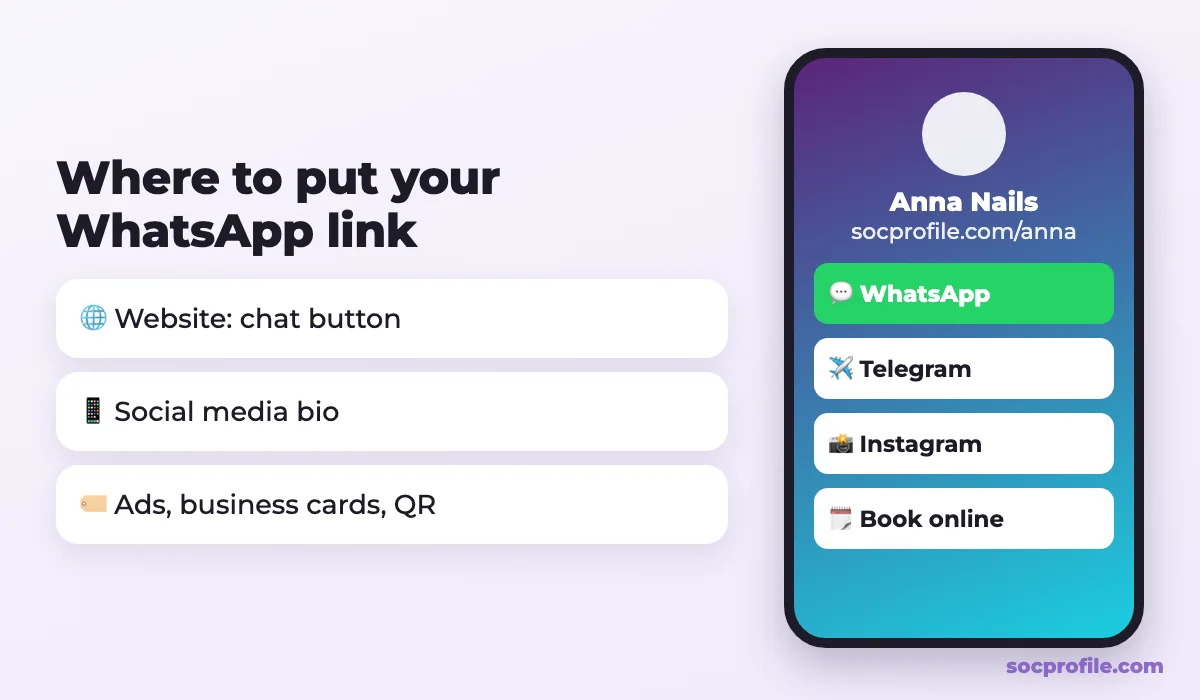
- Your website. A "Chat on WhatsApp" button is just a link:
<a href="https://wa.me/15550100199">Chat on WhatsApp</a>. Put it in the header, on the contact page and on product pages. WhatsApp also offers an official "Chat on WhatsApp" button design in its brand resources. - Your social media bio. Instagram, TikTok and most other apps give you limited room for links, so WhatsApp has to compete with your shop, your booking page and your other channels.
- Offline and everywhere else. Ads, email signatures, business cards and packaging can carry the link or a QR code.
If you have several ways for people to reach you, put them all on one page. That's the problem we built SocProfile for. On SocProfile you can make a free link-in-bio page, add a WhatsApp button next to Telegram, Instagram and your website, and use a single socprofile.com/yourname link everywhere. WhatsApp lives under Quick contacts: enter your number with the country code, and a chat button shows up on your page. For more on bio links, see our guide to link in bio on Instagram.
If we were setting this up from scratch, we'd start with a plain wa.me link plus a short pre-filled message, and switch to the WhatsApp Business short link if keeping the number private matters. Whatever you pick, test the link from a different phone before it goes on anything printed.
Frequently asked questions
Is the WhatsApp link generator free?
Yes. wa.me links are a free WhatsApp feature, there's no account to create, and the link never expires.
Why doesn't my WhatsApp link work?
Usually the number is formatted wrong: it has a plus sign, a leading 0, spaces, or no country code. The other common cause is that the number isn't registered on WhatsApp. Double-check the number and generate the link again.
Can I make a link that doesn't show my phone number?
Not with a personal wa.me link, since it always contains the number. In the WhatsApp Business app, the short link from Tools keeps the number out of the URL.
How do I get a link to a WhatsApp group?
Open the group, tap its name, choose "Invite via link or QR code", then "Copy link". An admin can reset it at any time.
Can I put WhatsApp and my other links in one bio?
Yes. Create a free SocProfile page, add buttons for WhatsApp, Telegram, Instagram and your site, and put that one page link in your bio.